

Sign Up
Thank you for Submitting!
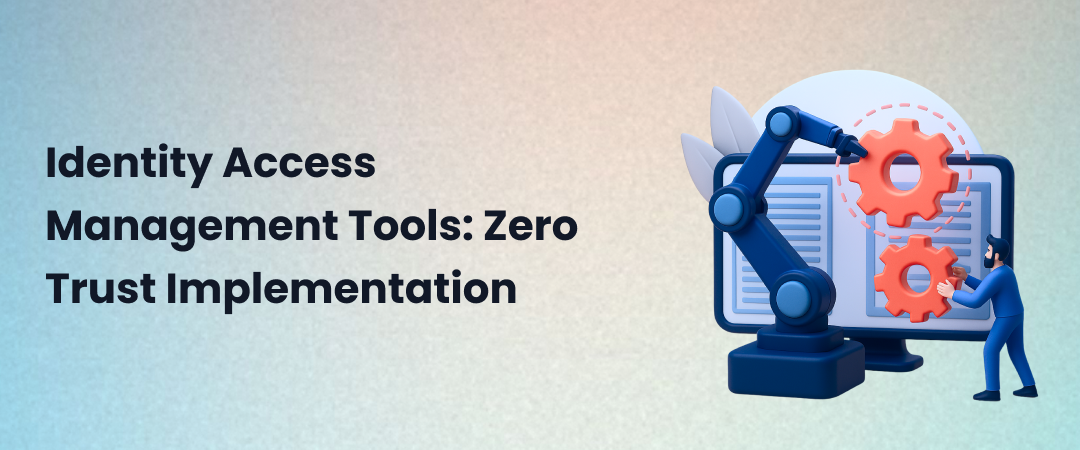
Identity access management tools are security platforms that control who can access what resources in your organization. These tools handle authentication (verifying identity), authorization (granting permissions), and user lifecycle management (provisioning/deprovisioning). In a zero-trust security model, IAM tools serve as the foundation, continuously verifying every access request regardless of network location. Effective IAM implementation requires integrating multiple tool categories (SSO, MFA, PAM, identity governance) and establishing policies that enforce least-privilege access, continuous authentication, and comprehensive audit trails.
In early 2024, a Fortune 500 financial services firm discovered a breach that had persisted for 18 months. The attack vector? A single contractor account that wasn't deprovisioned after the engagement ended. That orphaned identity, with its elevated privileges intact, became the entry point for attackers who exfiltrated 2.3 million customer records.
This isn't an outlier; it's the norm. According to the 2024 Verizon Data Breach Investigations Report, 74% of breaches involved compromised credentials or identity-based attacks. Traditional network security, which assumes "inside the firewall equals trusted," has catastrophically failed. The response? A fundamental shift to zero-trust architectures, where identity becomes the new perimeter.
But zero trust doesn't happen by installing a single tool. It requires a comprehensive stack of identity and access management tools working in concert to verify users, devices, and applications continuously. This guide cuts through the vendor hype to deliver a practical framework for implementing zero trust through strategic IAM deployment.
Identity and access management (IAM) tools are software platforms that manage digital identities and control access to organizational resources. At their core, these tools answer three questions: Who are you? (authentication), What can you access? (authorization), And what did you do? (audit).
Authentication verifies a user's identity using credentials (passwords, biometrics, security keys). Modern authentication systems employ multi-factor methods that combine something you know (a password), something you have (a phone or token), and something you are (a fingerprint or facial recognition).
Authorization determines which authenticated users can access resources. This involves access control policies that define permissions based on roles (role-based access control, or RBAC), attributes (attribute-based access control, or ABAC), or specific resource policies.
User provisioning manages the identity lifecycle, creating accounts when employees join, adjusting permissions as roles change, and deprovisioning access when they leave. Automated user provisioning prevents the orphaned accounts that plague manual processes.
Identity governance provides oversight and policy enforcement across the IAM stack. It ensures access aligns with business policies, regulatory requirements, and security standards. Strong identity governance answers "who has access to what, and why?"
Legacy security models focused on network perimeters, firewalls protecting "trusted" internal networks from "untrusted" external threats. IAM flips this model. Instead of trusting network location, IAM tools verify identity and context for every access request, whether it originates from headquarters or a coffee shop Wi-Fi.
This identity-centric approach is essential for modern environments where employees work remotely, applications live in the cloud, and the traditional network boundary has dissolved. Robust IAM strategies form the foundation of contemporary security frameworks.
Zero trust is a security framework built on the principle "never trust, always verify." Coined by Forrester Research and codified by NIST, zero trust assumes that threats exist both outside and inside traditional network boundaries. Therefore, no user or device should be automatically trusted, regardless of location.
1. Verify Explicitly
Authenticate and authorize every access request using all available data points, user identity, device health, location, behavior patterns, and data sensitivity. A login from a recognized device during business hours gets different treatment than a 3 AM access from a new device in an unfamiliar location.
2. Use Least Privilege Access
Grant the minimum permissions necessary for users to complete their tasks. A marketing analyst needs read access to campaign data, not admin rights to the entire CRM. Time-bound access for contractors or project teams further limits exposure.
3. Assume Breach
Design systems assuming attackers are already inside the network. Segment access, encrypt data, and monitor continuously. When (not if) credentials are compromised, micro-segmentation limits lateral movement.
The castle-and-moat model, with a hardened perimeter and a soft interior, collapsed under three trends: cloud adoption (your applications live outside the castle), mobile work (users access them from anywhere), and sophisticated attacks (phishing steals credentials that bypass firewalls).
Zero trust doesn't eliminate firewalls, but it removes the assumption that being inside the network means you're safe. Every access request is a new transaction requiring verification. This is where modern zero-trust security solutions become critical.
You cannot implement zero trust without comprehensive identity access management tools. Here's why identity became the new battleground.
When applications live in AWS, data sits in Salesforce, and employees work from home, the network perimeter is fiction. What remains constant? Identity. Every access request originates from an identity, human (employees, contractors) or non-human (service accounts, APIs, IoT devices).
Modern IAM tools make identity the enforcement point. Before accessing any resource, the system verifies the identity. Does context (device, location, time) align with policy? Does the identity have a legitimate need for this specific resource? Without these gates, zero trust is just a buzzword.
Legacy systems: you were authenticated once; you logged in at 8 AM, and your session stayed trusted until you logged out. Zero trust demands continuous verification. Even after initial authentication, the system continuously assesses risk signals. If behavior becomes anomalous (unusual data access patterns, impossible travel scenarios), step-up authentication or access revocation occurs automatically.
This continuous verification requires IAM tools with behavioral analytics and risk-based authentication engines, capabilities that are absent in traditional directory services.
Zero trust's least-privilege principle sounds simple, but it is operationally complex. It's not enough to give someone "editor" access to Google Workspace; you need to specify which files, which folders, which sharing permissions, and for how long. This granularity requires identity governance platforms that map business roles to technical permissions and continuously recertify that access remains appropriate.
Without modern IAM tools, least privilege becomes either too coarse (still over-provisioned) or too manual (doesn't scale).
Zero-trust implementations must demonstrate compliance with regulations (SOC 2, ISO 27001, GDPR, HIPAA) and internal policies. This requires comprehensive audit logs: who accessed what, when, from where, and what they did. IAM best practices emphasize that visibility isn't optional; it's the foundation of trust.
Legacy tools generate logs, but modern IAM platforms provide analytics, spot anomalies, highlight risky access patterns, and automate compliance reporting.
Discover how CloudNuro unifies IAM visibility across your SaaS stack, and see the platform in action.
A comprehensive zero-trust IAM stack isn't a single product; it's an integrated collection of specialized tools. Understanding each category helps you build exemplary architecture.
SSO tools let users authenticate once and access multiple applications without re-entering credentials. In a zero-trust environment, SSO becomes the central authentication broker; every application delegates identity verification to the SSO provider.
Key capabilities: SAML/OAuth/OIDC protocols; application provisioning; session management; and conditional access policies.
Zero trust role: SSO creates a single enforcement point where you can apply context-aware access policies uniformly across all connected applications.
MFA requires users to present multiple forms of verification, typically a password and a time-based code, a push notification, or a hardware token. This dramatically reduces credential compromise risk.
Key capabilities: Push notifications, TOTP codes, biometric verification, hardware security keys, risk-based step-up authentication.
Zero trust role: MFA provides the "verify explicitly" layer. Even if passwords leak, attackers can't proceed without the second factor.
PAM tools manage and monitor high-privilege accounts, system administrators, database admins, and service accounts with elevated rights. These identities are prime targets because they unlock critical systems.
Key capabilities: Password vaulting, session recording, just-in-time access, and privilege elevation workflows.
Zero-trust role: PAM enforces least-privilege access for the most sensitive accounts. Admins don't maintain standing elevated access; they request time-bound privilege elevation, which is logged and monitored. Explore comprehensive privileged access management tools designed for enterprise environments.
IGA platforms manage the identity lifecycle and ensure access aligns with policies. They answer "who has access to what" and automate access certification.
Key capabilities: Automated provisioning/deprovisioning, role management, access reviews, segregation of duties enforcement, compliance reporting.
Zero-trust role: IGA ensures that access policies remain up to date as people change roles, teams reorganize, or contractors leave. It provides the governance layer that prevents privilege creep. Learn more about identity governance and administration tools that automate compliance.
These tools create, modify, and delete user accounts across systems. Modern provisioning platforms integrate with HR systems to automatically provision access based on roles and deprovision access when employees leave.
Key capabilities: HR system integration, automated workflows, directory synchronization, and self-service access requests.
Zero-trust role: Automated provisioning eliminates the lag between "employee starts" and "access granted," while deprovisioning closes the dangerous window when terminated employees retain access. Discover how user provisioning and governance tools prevent access drift.
Not all identity access management tools support zero trust equally. When evaluating platforms, prioritize these capabilities.
Static rules ("if employee, allow access") are insufficient. Zero trust demands dynamic policies that consider context: device posture (is the laptop encrypted, patched, and running EDR?), location (office, home, travel, or risky geography), time (business hours vs. midnight), and user behavior (normal vs. anomalous).
Leading IAM tools integrate with endpoint management, threat intelligence, and user behavior analytics to make real-time access decisions based on aggregated risk signals.
Also called risk-based authentication, this capability adjusts authentication requirements based on calculated risk. Low-risk scenarios (recognized device, office location, normal behavior) get streamlined access. High-risk scenarios (new device, unusual location, first-time access to sensitive data) trigger step-up authentication, additional MFA factors, or manager approval.
Your IAM stack must integrate with your entire technology ecosystem, SaaS applications (Salesforce, Microsoft 365, Workday), cloud infrastructure (AWS, Azure, GCP), on-premises systems, and security tools (SIEM, SOAR, EDR).
Look for platforms with pre-built connectors, robust APIs, and support for standard protocols (SAML, SCIM, OAuth, OpenID Connect). Integration friction is where IAM projects fail.
Every access decision, policy change, and authentication event should be logged with complete context. But raw logs aren't enough; you need analytics that surface insights: which users have excessive permissions, where access reviews are overdue, and what anomalous access patterns have emerged.
Advanced platforms use machine learning to baseline normal behavior and flag deviations. When a user who typically downloads 10 files per week suddenly downloads 10,000, the system should notice.
Human identities are just part of the picture. Modern applications rely on service accounts, API keys, and machine identities that often outnumber humans 10:1. Your IAM tools must govern these non-human identities, rotate credentials, enforce least privilege, and monitor usage.
IAM implementation for zero trust is a journey, not a destination. This framework provides a road map.
You can't secure what you don't know exists. Start with comprehensive discovery:
Most enterprises discover thousands of orphaned accounts, forgotten service credentials, and access grants that should have expired years ago. This discovery phase alone often reveals quick wins, deprovisioning unused accounts, and revoking stale permissions.
Map business roles to technical permissions using the principle of least privilege. Instead of "all marketing team members get admin access to HubSpot," define:
Document these role definitions and get business stakeholder approval. IAM is a business process as much as a technical implementation; HR, Legal, and business unit leaders must own access policies.
Migrate applications to authenticate through your SSO platform. Start with SaaS applications (easiest, usually SAML-based), then tackle cloud infrastructure (IAM federation), and finally, on-premises systems (often require connectors or proxies).
SSO implementation creates the single enforcement point where you'll later apply conditional access policies. It also improves user experience (fewer passwords to remember) and security (fewer credentials to phish).
Once SSO is the authentication broker, add MFA requirements. Start with high-risk scenarios (admin access, financial systems, customer data) and expand coverage from there.
Implement adaptive authentication that adjusts requirements based on context. Users accessing from corporate devices during business hours might not need MFA every time; the same users logging in from a new device at 2 AM from an unfamiliar location absolutely should face additional challenges.
Integrate your IAM platform with HR systems (Workday, SAP SuccessFactors, BambooHR) to trigger automated workflows:
This automation eliminates the dangerous window when ex-employees retain access and removes the manual burden that causes provisioning delays.
Zero trust isn't "set and forget." Implement quarterly access reviews where managers certify that their team members' access remains appropriate. Flag high-risk access (admin rights, financial system access, customer PII) for more frequent reviews.
Use IGA tools to automate review workflows, flag anomalies (users with access dramatically exceeding peer baselines), and enforce policy violations. Track metrics like access review completion rates, mean time to provision, and orphaned account counts.
Ready to see how enterprises accelerate zero trust IAM implementation? Request a CloudNuro demo today.
While most IAM discussions focus on human users, non-human identities often outnumber people 10:1 and are dramatically under-governed.
Service accounts, credentials used by applications to access databases, APIs, or cloud resources, rarely follow the same lifecycle governance as human accounts. They're created for a project, never expire, and often have excessive permissions because "the application might need it someday."
Modern IAM platforms must include secrets management, centralized vaults for API keys, automated rotation policies, and auditing of secret usage. Treating non-human identities with the same rigor as human accounts is no longer optional.
Zero trust for machine identities requires certificate management platforms, automated rotation policies, and integration with DevOps workflows. The enterprises that master this apply the same governance rigor to service accounts as to people, gaining significant security advantages. Learn more about securing non-human identities in enterprise environments.
Even with the right tools, IAM implementation projects fail. Here are the most common mistakes.
Teams request broad permissions "because we might need it later." Managers approve because denying access creates friction. The result? Everyone has far more access than necessary.
Solution: Default to deny. Users request specific access with business justification. Approvals require a manager's sign-off. Access is time-bound (expires after 90 days unless recertified). This cultural shift, treating access as an exception rather than an entitlement, is more complex than the technology.
Enterprises average 130+ SaaS applications. Integrating all of them with your new IAM platform can take years if done serially.
Solution: Prioritize ruthlessly. Start with the 20% of applications that account for 80% of risk: financial systems, customer data repositories, and admin tools. Use SSO application templates for standard SaaS (Salesforce, Workday, ServiceNow) to accelerate deployment. Accept that long-tail applications may not integrate immediately.
Overly aggressive authentication requirements frustrate users. When MFA prompts appear every 30 minutes, users seek workarounds, shared accounts, insecure credential storage, or unsanctioned shadow IT tools.
Solution: Implement risk-based authentication that balances security with experience. Use adaptive policies, trusted scenarios get streamlined access; risky patterns trigger challenges. Educate users on why security measures exist, not just that they must comply.
IAM tools are expensive. MFA licenses can run $3-8 per user per month. PAM seats cost $100-300+ per privileged user annually. Without visibility, enterprises over-purchase licenses and don't reclaim them when users leave or roles change.
Solution: Treat IAM tools like any SaaS investment. Track utilization, harvest unused licenses, and right-size deployments. Platforms that unify SaaS management with identity governance (like CloudNuro) provide this visibility automatically.
Here's a truth most IAM vendors won't tell you: identity access management tools alone don't prevent shadow SaaS or unmanaged applications.
Your SSO platform only governs applications you've connected to it. When a marketing team independently signs up for a new analytics tool using corporate email addresses, your IAM stack has zero visibility. The application exists, budgets are spent, data flows in, all outside IAM governance.
According to recent research, SSO platforms typically govern 40-60% of an enterprise's actual SaaS footprint. The rest operates in shadow IT, undiscovered, ungoverned, and unprotected.
Effective governance requires combining IAM data (who has access to what) with SaaS management data (which applications exist, what they cost, how they're used, what data they access).
This unified view reveals:
CloudNuro's Enterprise SaaS Management Platform integrates with your IAM stack to provide comprehensive visibility. By correlating SSO/IAM data with SaaS discovery, usage analytics, and spend data, CloudNuro answers questions like:
This unified approach to IT security governance ensures that IAM policies actually protect your complete SaaS environment, not just the subset you've integrated.
See how CloudNuro unifies IAM and SaaS governance for complete visibility. Explore the platform.
What's the difference between IAM and IGA tools?
A: IAM covers identity lifecycle and access (SSO, MFA, authentication, provisioning). IGA is a subset focused on governance, policies, access reviews, roles, and compliance.
Can you implement zero trust without replacing all existing security tools?
A: Yes. Zero trust is a framework, not a rip-and-replace product. Existing firewalls, EDR, and SIEM remain in place. The shift is from network trust to identity-based, continuous verification, often adding capabilities such as risk-based auth or microsegmentation while building on existing IAM.
How long does IAM implementation for zero trust typically take?
| Organization Size | Scope | Typical Timeline |
|---|---|---|
| Mid-sized (1k-5k users) | SSO, MFA, provisioning | 6-12 months |
| Large enterprises | Comprehensive IAM stack | 18-24 months |
Value starts early; many see improvements within 90 days through quick wins such as SaaS, SSO, and automated deprovisioning.
What's the ROI of investing in IAM tools?
| Category | Key Benefit | Typical Impact |
|---|---|---|
| Security | Breach prevention | Prevents one breach (avg $4.45M, IBM 2024) |
| Operations | Efficiency gains | 60-80% faster provisioning, 50-70% fewer helpdesk tickets |
| Compliance | Audit efficiency & risk reduction | Faster audits, avoided fines |
Most organizations see ROI in 12-18 months.
How do I choose between multiple IAM vendors?
A: Evaluate on: Integrations, user experience, scalability, compliance support, total cost of ownership, and vendor stability. Always run a real-world POC with top contenders.
How does CloudNuro complement our existing IAM tools?
A: CloudNuro enhances, not replaces, IAM by adding SaaS visibility. It discovers all apps (including shadow IT), maps access to usage, identifies unused licenses, and flags gaps where SSO/MFA aren't enforced; integrating with major IAM platforms for a complete view.
Identity access management tools are no longer optional infrastructure; they're the foundation of modern security. As enterprises adopt zero-trust frameworks, IAM shifts from a compliance checkbox to a strategic imperative. The organizations that win aren't just deploying tools; they're building identity-centric security cultures where access is earned through continuous verification, not assumed based on network location.
Effective IAM implementation requires integration across multiple tool categories, SSO for centralized authentication, MFA for verification strength, PAM for privileged access, IGA for governance, and provisioning platforms for lifecycle automation. But technology alone is insufficient. Success demands executive sponsorship, cross-functional collaboration between IT and business units, and the discipline to enforce least-privilege access even when it creates friction.
CloudNuro is a leader in Enterprise SaaS Management Platforms. As the only Unified FinOps SaaS Management Platform for the Enterprise, CloudNuro brings AI, SaaS, and IaaS management together in a unified view. With a 15-minute setup and measurable results in under 24 hours, CloudNuro gives IT teams a fast path to value.
Request a Demo | Get Free Savings Assessment | Explore Product
Request a no cost, no obligation free assessment —just 15 minutes to savings!
Get StartedIdentity access management tools are security platforms that control who can access what resources in your organization. These tools handle authentication (verifying identity), authorization (granting permissions), and user lifecycle management (provisioning/deprovisioning). In a zero-trust security model, IAM tools serve as the foundation, continuously verifying every access request regardless of network location. Effective IAM implementation requires integrating multiple tool categories (SSO, MFA, PAM, identity governance) and establishing policies that enforce least-privilege access, continuous authentication, and comprehensive audit trails.
In early 2024, a Fortune 500 financial services firm discovered a breach that had persisted for 18 months. The attack vector? A single contractor account that wasn't deprovisioned after the engagement ended. That orphaned identity, with its elevated privileges intact, became the entry point for attackers who exfiltrated 2.3 million customer records.
This isn't an outlier; it's the norm. According to the 2024 Verizon Data Breach Investigations Report, 74% of breaches involved compromised credentials or identity-based attacks. Traditional network security, which assumes "inside the firewall equals trusted," has catastrophically failed. The response? A fundamental shift to zero-trust architectures, where identity becomes the new perimeter.
But zero trust doesn't happen by installing a single tool. It requires a comprehensive stack of identity and access management tools working in concert to verify users, devices, and applications continuously. This guide cuts through the vendor hype to deliver a practical framework for implementing zero trust through strategic IAM deployment.
Identity and access management (IAM) tools are software platforms that manage digital identities and control access to organizational resources. At their core, these tools answer three questions: Who are you? (authentication), What can you access? (authorization), And what did you do? (audit).
Authentication verifies a user's identity using credentials (passwords, biometrics, security keys). Modern authentication systems employ multi-factor methods that combine something you know (a password), something you have (a phone or token), and something you are (a fingerprint or facial recognition).
Authorization determines which authenticated users can access resources. This involves access control policies that define permissions based on roles (role-based access control, or RBAC), attributes (attribute-based access control, or ABAC), or specific resource policies.
User provisioning manages the identity lifecycle, creating accounts when employees join, adjusting permissions as roles change, and deprovisioning access when they leave. Automated user provisioning prevents the orphaned accounts that plague manual processes.
Identity governance provides oversight and policy enforcement across the IAM stack. It ensures access aligns with business policies, regulatory requirements, and security standards. Strong identity governance answers "who has access to what, and why?"
Legacy security models focused on network perimeters, firewalls protecting "trusted" internal networks from "untrusted" external threats. IAM flips this model. Instead of trusting network location, IAM tools verify identity and context for every access request, whether it originates from headquarters or a coffee shop Wi-Fi.
This identity-centric approach is essential for modern environments where employees work remotely, applications live in the cloud, and the traditional network boundary has dissolved. Robust IAM strategies form the foundation of contemporary security frameworks.
Zero trust is a security framework built on the principle "never trust, always verify." Coined by Forrester Research and codified by NIST, zero trust assumes that threats exist both outside and inside traditional network boundaries. Therefore, no user or device should be automatically trusted, regardless of location.
1. Verify Explicitly
Authenticate and authorize every access request using all available data points, user identity, device health, location, behavior patterns, and data sensitivity. A login from a recognized device during business hours gets different treatment than a 3 AM access from a new device in an unfamiliar location.
2. Use Least Privilege Access
Grant the minimum permissions necessary for users to complete their tasks. A marketing analyst needs read access to campaign data, not admin rights to the entire CRM. Time-bound access for contractors or project teams further limits exposure.
3. Assume Breach
Design systems assuming attackers are already inside the network. Segment access, encrypt data, and monitor continuously. When (not if) credentials are compromised, micro-segmentation limits lateral movement.
The castle-and-moat model, with a hardened perimeter and a soft interior, collapsed under three trends: cloud adoption (your applications live outside the castle), mobile work (users access them from anywhere), and sophisticated attacks (phishing steals credentials that bypass firewalls).
Zero trust doesn't eliminate firewalls, but it removes the assumption that being inside the network means you're safe. Every access request is a new transaction requiring verification. This is where modern zero-trust security solutions become critical.
You cannot implement zero trust without comprehensive identity access management tools. Here's why identity became the new battleground.
When applications live in AWS, data sits in Salesforce, and employees work from home, the network perimeter is fiction. What remains constant? Identity. Every access request originates from an identity, human (employees, contractors) or non-human (service accounts, APIs, IoT devices).
Modern IAM tools make identity the enforcement point. Before accessing any resource, the system verifies the identity. Does context (device, location, time) align with policy? Does the identity have a legitimate need for this specific resource? Without these gates, zero trust is just a buzzword.
Legacy systems: you were authenticated once; you logged in at 8 AM, and your session stayed trusted until you logged out. Zero trust demands continuous verification. Even after initial authentication, the system continuously assesses risk signals. If behavior becomes anomalous (unusual data access patterns, impossible travel scenarios), step-up authentication or access revocation occurs automatically.
This continuous verification requires IAM tools with behavioral analytics and risk-based authentication engines, capabilities that are absent in traditional directory services.
Zero trust's least-privilege principle sounds simple, but it is operationally complex. It's not enough to give someone "editor" access to Google Workspace; you need to specify which files, which folders, which sharing permissions, and for how long. This granularity requires identity governance platforms that map business roles to technical permissions and continuously recertify that access remains appropriate.
Without modern IAM tools, least privilege becomes either too coarse (still over-provisioned) or too manual (doesn't scale).
Zero-trust implementations must demonstrate compliance with regulations (SOC 2, ISO 27001, GDPR, HIPAA) and internal policies. This requires comprehensive audit logs: who accessed what, when, from where, and what they did. IAM best practices emphasize that visibility isn't optional; it's the foundation of trust.
Legacy tools generate logs, but modern IAM platforms provide analytics, spot anomalies, highlight risky access patterns, and automate compliance reporting.
Discover how CloudNuro unifies IAM visibility across your SaaS stack, and see the platform in action.
A comprehensive zero-trust IAM stack isn't a single product; it's an integrated collection of specialized tools. Understanding each category helps you build exemplary architecture.
SSO tools let users authenticate once and access multiple applications without re-entering credentials. In a zero-trust environment, SSO becomes the central authentication broker; every application delegates identity verification to the SSO provider.
Key capabilities: SAML/OAuth/OIDC protocols; application provisioning; session management; and conditional access policies.
Zero trust role: SSO creates a single enforcement point where you can apply context-aware access policies uniformly across all connected applications.
MFA requires users to present multiple forms of verification, typically a password and a time-based code, a push notification, or a hardware token. This dramatically reduces credential compromise risk.
Key capabilities: Push notifications, TOTP codes, biometric verification, hardware security keys, risk-based step-up authentication.
Zero trust role: MFA provides the "verify explicitly" layer. Even if passwords leak, attackers can't proceed without the second factor.
PAM tools manage and monitor high-privilege accounts, system administrators, database admins, and service accounts with elevated rights. These identities are prime targets because they unlock critical systems.
Key capabilities: Password vaulting, session recording, just-in-time access, and privilege elevation workflows.
Zero-trust role: PAM enforces least-privilege access for the most sensitive accounts. Admins don't maintain standing elevated access; they request time-bound privilege elevation, which is logged and monitored. Explore comprehensive privileged access management tools designed for enterprise environments.
IGA platforms manage the identity lifecycle and ensure access aligns with policies. They answer "who has access to what" and automate access certification.
Key capabilities: Automated provisioning/deprovisioning, role management, access reviews, segregation of duties enforcement, compliance reporting.
Zero-trust role: IGA ensures that access policies remain up to date as people change roles, teams reorganize, or contractors leave. It provides the governance layer that prevents privilege creep. Learn more about identity governance and administration tools that automate compliance.
These tools create, modify, and delete user accounts across systems. Modern provisioning platforms integrate with HR systems to automatically provision access based on roles and deprovision access when employees leave.
Key capabilities: HR system integration, automated workflows, directory synchronization, and self-service access requests.
Zero-trust role: Automated provisioning eliminates the lag between "employee starts" and "access granted," while deprovisioning closes the dangerous window when terminated employees retain access. Discover how user provisioning and governance tools prevent access drift.
Not all identity access management tools support zero trust equally. When evaluating platforms, prioritize these capabilities.
Static rules ("if employee, allow access") are insufficient. Zero trust demands dynamic policies that consider context: device posture (is the laptop encrypted, patched, and running EDR?), location (office, home, travel, or risky geography), time (business hours vs. midnight), and user behavior (normal vs. anomalous).
Leading IAM tools integrate with endpoint management, threat intelligence, and user behavior analytics to make real-time access decisions based on aggregated risk signals.
Also called risk-based authentication, this capability adjusts authentication requirements based on calculated risk. Low-risk scenarios (recognized device, office location, normal behavior) get streamlined access. High-risk scenarios (new device, unusual location, first-time access to sensitive data) trigger step-up authentication, additional MFA factors, or manager approval.
Your IAM stack must integrate with your entire technology ecosystem, SaaS applications (Salesforce, Microsoft 365, Workday), cloud infrastructure (AWS, Azure, GCP), on-premises systems, and security tools (SIEM, SOAR, EDR).
Look for platforms with pre-built connectors, robust APIs, and support for standard protocols (SAML, SCIM, OAuth, OpenID Connect). Integration friction is where IAM projects fail.
Every access decision, policy change, and authentication event should be logged with complete context. But raw logs aren't enough; you need analytics that surface insights: which users have excessive permissions, where access reviews are overdue, and what anomalous access patterns have emerged.
Advanced platforms use machine learning to baseline normal behavior and flag deviations. When a user who typically downloads 10 files per week suddenly downloads 10,000, the system should notice.
Human identities are just part of the picture. Modern applications rely on service accounts, API keys, and machine identities that often outnumber humans 10:1. Your IAM tools must govern these non-human identities, rotate credentials, enforce least privilege, and monitor usage.
IAM implementation for zero trust is a journey, not a destination. This framework provides a road map.
You can't secure what you don't know exists. Start with comprehensive discovery:
Most enterprises discover thousands of orphaned accounts, forgotten service credentials, and access grants that should have expired years ago. This discovery phase alone often reveals quick wins, deprovisioning unused accounts, and revoking stale permissions.
Map business roles to technical permissions using the principle of least privilege. Instead of "all marketing team members get admin access to HubSpot," define:
Document these role definitions and get business stakeholder approval. IAM is a business process as much as a technical implementation; HR, Legal, and business unit leaders must own access policies.
Migrate applications to authenticate through your SSO platform. Start with SaaS applications (easiest, usually SAML-based), then tackle cloud infrastructure (IAM federation), and finally, on-premises systems (often require connectors or proxies).
SSO implementation creates the single enforcement point where you'll later apply conditional access policies. It also improves user experience (fewer passwords to remember) and security (fewer credentials to phish).
Once SSO is the authentication broker, add MFA requirements. Start with high-risk scenarios (admin access, financial systems, customer data) and expand coverage from there.
Implement adaptive authentication that adjusts requirements based on context. Users accessing from corporate devices during business hours might not need MFA every time; the same users logging in from a new device at 2 AM from an unfamiliar location absolutely should face additional challenges.
Integrate your IAM platform with HR systems (Workday, SAP SuccessFactors, BambooHR) to trigger automated workflows:
This automation eliminates the dangerous window when ex-employees retain access and removes the manual burden that causes provisioning delays.
Zero trust isn't "set and forget." Implement quarterly access reviews where managers certify that their team members' access remains appropriate. Flag high-risk access (admin rights, financial system access, customer PII) for more frequent reviews.
Use IGA tools to automate review workflows, flag anomalies (users with access dramatically exceeding peer baselines), and enforce policy violations. Track metrics like access review completion rates, mean time to provision, and orphaned account counts.
Ready to see how enterprises accelerate zero trust IAM implementation? Request a CloudNuro demo today.
While most IAM discussions focus on human users, non-human identities often outnumber people 10:1 and are dramatically under-governed.
Service accounts, credentials used by applications to access databases, APIs, or cloud resources, rarely follow the same lifecycle governance as human accounts. They're created for a project, never expire, and often have excessive permissions because "the application might need it someday."
Modern IAM platforms must include secrets management, centralized vaults for API keys, automated rotation policies, and auditing of secret usage. Treating non-human identities with the same rigor as human accounts is no longer optional.
Zero trust for machine identities requires certificate management platforms, automated rotation policies, and integration with DevOps workflows. The enterprises that master this apply the same governance rigor to service accounts as to people, gaining significant security advantages. Learn more about securing non-human identities in enterprise environments.
Even with the right tools, IAM implementation projects fail. Here are the most common mistakes.
Teams request broad permissions "because we might need it later." Managers approve because denying access creates friction. The result? Everyone has far more access than necessary.
Solution: Default to deny. Users request specific access with business justification. Approvals require a manager's sign-off. Access is time-bound (expires after 90 days unless recertified). This cultural shift, treating access as an exception rather than an entitlement, is more complex than the technology.
Enterprises average 130+ SaaS applications. Integrating all of them with your new IAM platform can take years if done serially.
Solution: Prioritize ruthlessly. Start with the 20% of applications that account for 80% of risk: financial systems, customer data repositories, and admin tools. Use SSO application templates for standard SaaS (Salesforce, Workday, ServiceNow) to accelerate deployment. Accept that long-tail applications may not integrate immediately.
Overly aggressive authentication requirements frustrate users. When MFA prompts appear every 30 minutes, users seek workarounds, shared accounts, insecure credential storage, or unsanctioned shadow IT tools.
Solution: Implement risk-based authentication that balances security with experience. Use adaptive policies, trusted scenarios get streamlined access; risky patterns trigger challenges. Educate users on why security measures exist, not just that they must comply.
IAM tools are expensive. MFA licenses can run $3-8 per user per month. PAM seats cost $100-300+ per privileged user annually. Without visibility, enterprises over-purchase licenses and don't reclaim them when users leave or roles change.
Solution: Treat IAM tools like any SaaS investment. Track utilization, harvest unused licenses, and right-size deployments. Platforms that unify SaaS management with identity governance (like CloudNuro) provide this visibility automatically.
Here's a truth most IAM vendors won't tell you: identity access management tools alone don't prevent shadow SaaS or unmanaged applications.
Your SSO platform only governs applications you've connected to it. When a marketing team independently signs up for a new analytics tool using corporate email addresses, your IAM stack has zero visibility. The application exists, budgets are spent, data flows in, all outside IAM governance.
According to recent research, SSO platforms typically govern 40-60% of an enterprise's actual SaaS footprint. The rest operates in shadow IT, undiscovered, ungoverned, and unprotected.
Effective governance requires combining IAM data (who has access to what) with SaaS management data (which applications exist, what they cost, how they're used, what data they access).
This unified view reveals:
CloudNuro's Enterprise SaaS Management Platform integrates with your IAM stack to provide comprehensive visibility. By correlating SSO/IAM data with SaaS discovery, usage analytics, and spend data, CloudNuro answers questions like:
This unified approach to IT security governance ensures that IAM policies actually protect your complete SaaS environment, not just the subset you've integrated.
See how CloudNuro unifies IAM and SaaS governance for complete visibility. Explore the platform.
What's the difference between IAM and IGA tools?
A: IAM covers identity lifecycle and access (SSO, MFA, authentication, provisioning). IGA is a subset focused on governance, policies, access reviews, roles, and compliance.
Can you implement zero trust without replacing all existing security tools?
A: Yes. Zero trust is a framework, not a rip-and-replace product. Existing firewalls, EDR, and SIEM remain in place. The shift is from network trust to identity-based, continuous verification, often adding capabilities such as risk-based auth or microsegmentation while building on existing IAM.
How long does IAM implementation for zero trust typically take?
| Organization Size | Scope | Typical Timeline |
|---|---|---|
| Mid-sized (1k-5k users) | SSO, MFA, provisioning | 6-12 months |
| Large enterprises | Comprehensive IAM stack | 18-24 months |
Value starts early; many see improvements within 90 days through quick wins such as SaaS, SSO, and automated deprovisioning.
What's the ROI of investing in IAM tools?
| Category | Key Benefit | Typical Impact |
|---|---|---|
| Security | Breach prevention | Prevents one breach (avg $4.45M, IBM 2024) |
| Operations | Efficiency gains | 60-80% faster provisioning, 50-70% fewer helpdesk tickets |
| Compliance | Audit efficiency & risk reduction | Faster audits, avoided fines |
Most organizations see ROI in 12-18 months.
How do I choose between multiple IAM vendors?
A: Evaluate on: Integrations, user experience, scalability, compliance support, total cost of ownership, and vendor stability. Always run a real-world POC with top contenders.
How does CloudNuro complement our existing IAM tools?
A: CloudNuro enhances, not replaces, IAM by adding SaaS visibility. It discovers all apps (including shadow IT), maps access to usage, identifies unused licenses, and flags gaps where SSO/MFA aren't enforced; integrating with major IAM platforms for a complete view.
Identity access management tools are no longer optional infrastructure; they're the foundation of modern security. As enterprises adopt zero-trust frameworks, IAM shifts from a compliance checkbox to a strategic imperative. The organizations that win aren't just deploying tools; they're building identity-centric security cultures where access is earned through continuous verification, not assumed based on network location.
Effective IAM implementation requires integration across multiple tool categories, SSO for centralized authentication, MFA for verification strength, PAM for privileged access, IGA for governance, and provisioning platforms for lifecycle automation. But technology alone is insufficient. Success demands executive sponsorship, cross-functional collaboration between IT and business units, and the discipline to enforce least-privilege access even when it creates friction.
CloudNuro is a leader in Enterprise SaaS Management Platforms. As the only Unified FinOps SaaS Management Platform for the Enterprise, CloudNuro brings AI, SaaS, and IaaS management together in a unified view. With a 15-minute setup and measurable results in under 24 hours, CloudNuro gives IT teams a fast path to value.
Request a Demo | Get Free Savings Assessment | Explore Product
Request a no cost, no obligation free assessment - just 15 minutes to savings!
Get StartedWe're offering complimentary ServiceNow license assessments to only 25 enterprises this quarter who want to unlock immediate savings without disrupting operations.
Get Free AssessmentGet Started




CloudNuro Corp
1755 Park St. Suite 207
Naperville, IL 60563
Phone : +1-630-277-9470
Email: info@cloudnuro.com


.svg)




.webp)

Recognized Leader in SaaS Management Platforms by Info-Tech SoftwareReviews

%20Tools%20for%20Remote%20Workforce.png)
