

Sign Up
Thank you for Submitting!
TL;DR
A SaaS spend management platform is a centralized system that provides visibility, governance, and optimization of software subscription costs across an enterprise. Modern spend management tools automate discovery, track usage, optimize licenses, manage renewals, and deliver real-time financial insights, typically reducing SaaS costs by 20-40% while eliminating shadow IT risks. This guide breaks down essential platform features, quantifies ROI, and provides a framework for selecting and implementing the right cost control platform for your organization.
Gartner estimates that organizations waste up to 30% of their SaaS budgets on unused licenses, redundant tools, and missed optimization opportunities. For the global enterprise SaaS market, projected to exceed $232 billion in 2026, that translates to roughly $47 billion in avoidable spend annually.
The root cause isn't overspending on software itself. It's the lack of visibility and governance that comes with decentralized SaaS procurement. When every department can swipe a credit card for cloud subscriptions, IT and Finance lose control. Shadow SaaS proliferates, licenses pile up, renewals auto-execute at full price, and no one has a complete picture of what the organization actually owns.
This is where a SaaS spend management platform becomes essential. Unlike generic expense-tracking systems or manual spreadsheets, a purpose-built platform automates discovery, correlates usage with cost, enforces governance, and delivers the financial discipline that CFOs demand. Organizations that implement disciplined spend management see 20-40% cost reductions, 90% faster audit readiness, and measurable ROI within weeks.
This guide walks through everything IT and Finance leaders need to know: what defines a best-in-class platform, which features deliver the most value, how to calculate ROI, and how to choose and implement the right solution for your organization's maturity level.
A SaaS spend management platform is a specialized software solution designed to provide centralized visibility, governance, and financial optimization of an organization's software-as-a-service subscriptions. Unlike general expense management or procurement tools, these platforms are purpose-built to address the unique challenges of recurring, consumption-based SaaS licensing.
At its core, a spend management platform answers three critical questions:
Traditional expense-tracking software captures transactions after they occur, recording what was spent but offering limited insight into utilization, redundancy, and optimization opportunities. SaaS spend management, by contrast, is proactive and operational:
A cost control platform for SaaS isn't just about cutting costs it's about ensuring every dollar spent delivers measurable business value while maintaining security, compliance, and operational efficiency.
SaaS subscriptions are almost always categorized as operational expenditures (OpEx). Unlike traditional on-premises software which might require a hefty upfront payment and long-term depreciation as a capital expense (CapEx) SaaS is typically billed on a monthly or annual basis, resulting in ongoing operational costs.
For finance leaders, this distinction matters. With SaaS, expenses show up directly on the profit and loss statement rather than the balance sheet, making them easier to scale up, scale down, or cancel as business needs evolve. This subscription model not only aligns spending with usage, but it also eliminates the need for large initial investments or hardware refresh cycles the very hallmarks of CapEx.
In short, SaaS delivers agility and predictability for budgeting, but it also demands discipline to prevent costs from spiraling out of control.
The SaaS landscape has changed dramatically. Ten years ago, IT controlled software procurement. Today, the average enterprise uses 371 SaaS applications (per Productiv's 2024 SaaS Trends Report), and 40-60% of those are purchased outside traditional IT channels. This decentralization creates six critical challenges that spend management tools are designed to solve:
Departments bypass IT to purchase tools directly, creating security gaps, compliance risks, and vendor sprawl. Without automated discovery, organizations can't govern what they can't see. Shadow SaaS visibility is the foundation of financial control.
Gartner reports that 30-40% of SaaS licenses go unused or underutilized. Users leave, switch roles, or stop logging in, but the licenses keep renewing. Without usage tracking, this waste compounds year after year.
Most SaaS contracts auto-renew 60-90 days before expiration, often at the vendor's proposed price increase. Organizations without renewal calendars and proactive workflows pay full price without negotiation.
Multiple teams independently purchase overlapping tools (e.g., three project management platforms, five video conferencing solutions). Consolidation opportunities are invisible without centralized visibility.
When SaaS spending is decentralized, Finance can't forecast accurately. Surprise renewals, usage-based billing spikes, and untracked subscriptions blow departmental budgets.
When SaaS expenses are scattered across departments, business units, and disconnected billing platforms, true cost visibility vanishes. This lack of transparency is more than a reporting headache it cripples your ability to optimize spend.
Without a consolidated, real-time view into what's being spent (and where), you're essentially steering blind:
Simply put, without clear, centralized visibility into every dollar spent, organizations struggle to identify inefficiencies or chart a path toward smarter SaaS strategies. Cost transparency is the cornerstone that makes optimization possible; without it, even the best tools or intentions fall short.
Modern cost management approaches treat SaaS as a strategic asset class requiring the same financial rigor as cloud infrastructure. A cost control platform provides the visibility, automation, and governance framework to bring SaaS spending under control without slowing business velocity.
Not all platforms are created equal. Here are the 10 features that separate enterprise-grade expense tracking software from basic vendor databases:
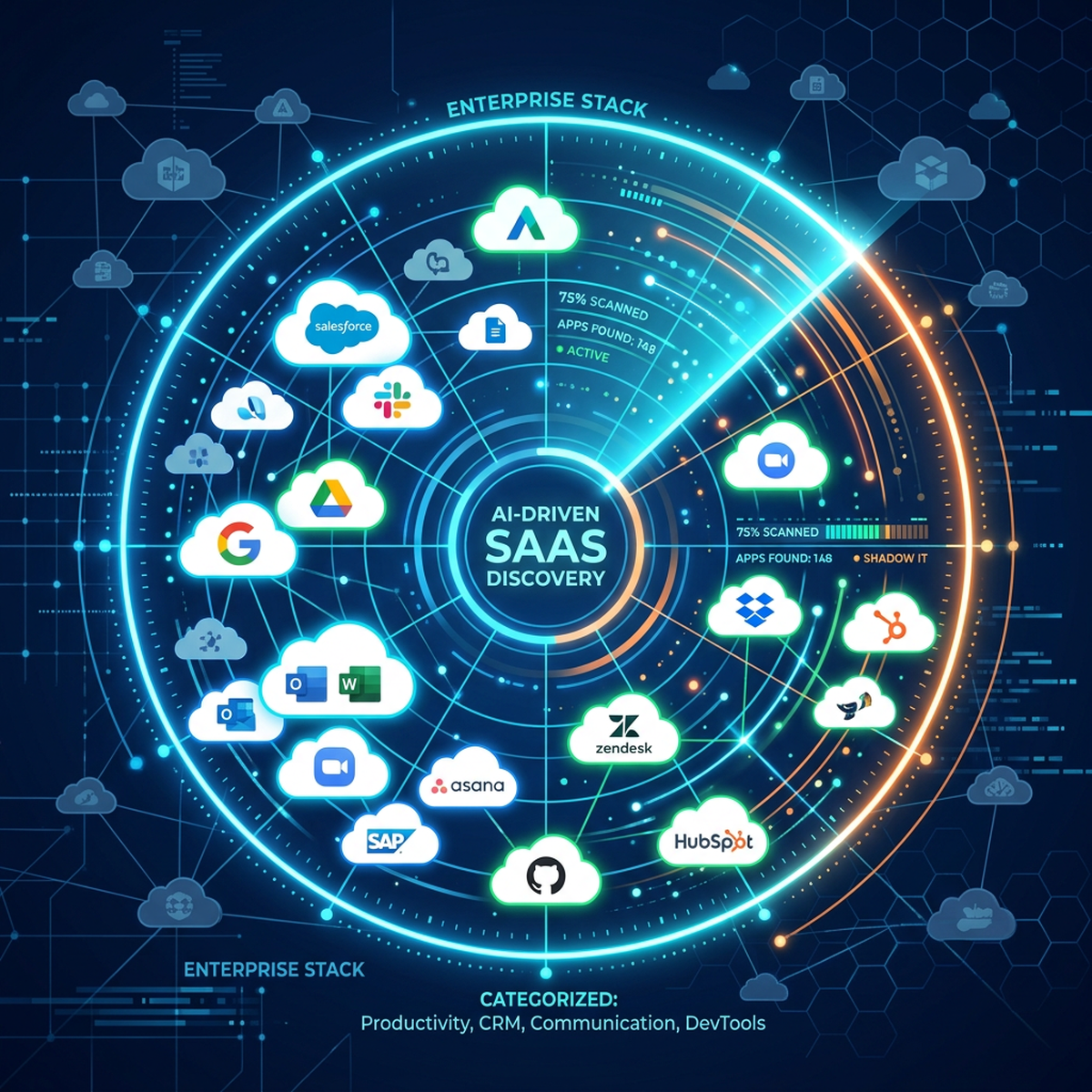
What It Does: Continuously identifies all SaaS applications in use across the organization, sanctioned and unsanctioned.
How It Works: Integrates with SSO providers (Okta, Azure AD), expense systems (Concur, Expensify), cloud access security brokers (CASBs), and endpoint agents to detect SaaS usage in real time.
Business Impact: Eliminates shadow IT blind spots. Organizations typically discover 40-60% more applications than they knew existed, surfacing security risks and opportunities for redundancy.
What It Does: Tracks user login frequency, feature adoption, and activity levels per application.
How It Works: Pulls data from application APIs, SSO logs, and browser extensions to measure active vs. inactive users over 30, 60, and 90-day windows.
Business Impact: Identifies unused licenses for reclamation (typical savings: 15-25% of SaaS spend) and underutilized premium tiers that can be downgraded.
What It Does: Centralizes SaaS spending data from all sources into a unified view with drill-down capabilities by vendor, department, user, or application.
How It Works: Integrates with ERP/finance systems, credit card feeds, procurement platforms, and vendor invoices to capture every SaaS dollar spent.
Business Impact: CFOs gain real-time visibility into SaaS as a cost category, often the #2 or #3 line item after headcount and infrastructure. Comprehensive spend audits become repeatable, not one-off fire drills.
What It Does: Tracks contract end dates, auto-renewal terms, and vendor notice periods; sends proactive alerts 90-180 days before renewal.
How It Works: Centralizes contract repository with metadata (renewal date, ACV, license count, escalation terms) and triggers workflow-based notifications to stakeholders.
Business Impact: Eliminates auto-renewal penalties. Enables proactive negotiation, right-sizing, and consolidation planning well before vendor deadline pressure.
What It Does: Analyzes usage patterns and suggests specific actions reclaim inactive licenses, downgrade tiers, consolidate vendors, or cancel redundant tools.
How It Works: Machine learning algorithms correlate usage data with license tiers and pricing models to identify optimization opportunities.
Business Impact: Turns data into action. Instead of generic reports, teams get prioritized recommendations with quantified savings potential (e.g., "Reclaim 47 inactive Salesforce licenses = $94K annual savings").
Discover how CloudNuro delivers automated optimization insights in 24 hours, no manual analysis required.
What It Does: Distributes SaaS costs across business units, departments, projects, or cost centers for financial accountability.
How It Works: Tags applications and users with organizational metadata, then allocates spend using pre-defined rules (direct assignment, usage-based splits, or custom formulas).
Business Impact: Transforms IT from a cost center to a transparent service provider. Business units see their actual SaaS consumption and are incentivized to optimize. Learn more about chargeback and cost allocation models.
What It Does: Centralizes vendor relationships, contract terms, SLAs, and points of contact in one system of record.
How It Works: Stores contracts, tracks vendor performance against SLAs, manages vendor risk assessments, and consolidates communication history.
Business Impact: Eliminates scattered contract storage (email, shared drives, filing cabinets). Negotiators have instant access to historical pricing, terms, and vendor commitments during renewals.
What It Does: Enforces governance by routing new SaaS purchase requests through approval chains based on spend thresholds, risk levels, or department policies.
How It Works: Integrates with IT ticketing (ServiceNow, Jira), procurement systems, and SSO provisioning to create automated request-to-provision workflows.
Business Impact: Balances agility with control. Teams can still procure SaaS quickly, but IT and Finance maintain visibility and enforce security/compliance gates. Streamline IT procurement workflows without bottlenecks.
What It Does: Assesses SaaS applications against security standards (SOC 2, ISO 27001, GDPR) and flags high-risk or non-compliant tools.
How It Works: Integrates with security posture management tools, vendor risk databases, and policy frameworks to score applications on security, privacy, and compliance criteria.
Business Impact: Reduces risk exposure. Security teams can prioritize remediation efforts and block high-risk applications before they become incidents.
What It Does: Provides real-time, customizable dashboards for executives, finance teams, and department leaders showing spend trends, utilization, savings, and KPIs.
How It Works: Pre-built reports and drag-and-drop dashboard builders allow stakeholders to self-serve insights (top vendors, department spend, renewal pipeline, etc.).
Business Impact: Democratizes data. CFOs, CIOs, and business leaders get the metrics they need without waiting for manual reports or bespoke analysis.
Implementing a SaaS spend management platform delivers benefits across three dimensions: financial, operational, and strategic.
Automated discovery, usage tracking, and license optimization eliminate shelfware, right-size subscriptions, and consolidate redundant tools. Organizations routinely recover 20-40% of SaaS budgets within the first year.
Armed with usage data and competitive benchmarks, procurement teams negotiate better pricing, multi-year discounts, and favorable terms instead of accepting vendor-proposed increases.
Real-time spend visibility and renewal forecasting eliminate surprise costs. Finance teams can budget SaaS as a predictable line item, not a volatile mystery.
Automation eliminates manual spreadsheet tracking, email-based contract searches, and repetitive license audits. IT and Finance teams redirect 50-100+ hours per month from administrative tasks to strategic work.
Streamlined approval workflows and pre-vetted vendor catalogs accelerate time-to-provision for new tools, balancing speed with governance.
Centralized contract repository, usage documentation, and compliance tracking make vendor audits and internal reviews 90% faster with full audit trails.
Executives gain visibility into which tools drive business outcomes, which are underutilized, and where consolidation or innovation investments make sense. Spend optimization strategies become repeatable, not reactive.
The cumulative impact: a cost-conscious culture where every SaaS dollar is intentional, measurable, and aligned with business priorities.
What It Does: Illuminates where SaaS budgets are actually going and highlights areas of underused or overlapping tools.
How It Works: By providing clear insights into application usage across teams and departments, SaaS spend management identifies which subscriptions drive business value and which drain resources. Real-time analytics and detailed reporting help decision-makers reassign budgets from low-impact apps to those fueling actual growth.
Business Impact: Equips organizations to align software spending with strategic objectives. Unused licenses are trimmed, redundancies eliminated, and investments focused where they produce the greatest results helping teams collaborate more effectively and innovate without waste.
CFOs and CIOs need to justify platform investments. Here's how to quantify return on investment for a SaaS spend management platform:
ROI (%) = [(Total Benefits − Total Costs) / Total Costs] × 100
Identify and cancel 200 unused licenses @ average $500/license/year
Savings: $100,000
Leverage usage data to negotiate 15% discount on top 5 renewals ($1M combined spend)
Savings: $150,000
Discover and cancel 15 redundant/unauthorized tools @ average $3,000/year
Savings: $45,000
Automate 100 hours/month of manual tracking (1,200 hours/year @ $125/hr)
Savings: $150,000
Prevent auto-renewal penalties and vendor audit fines
Savings (conservative): $25,000
Total Benefits: $470,000
ROI = [($470,000 − $75,000) / $75,000] × 100 = 527%
For every dollar invested, this organization sees $5.27 in return, and savings compound in subsequent years as costs drop (no re-implementation) and optimization matures.
Want to model your specific scenario? Demonstrating ROI to finance leadership requires quantifying shadow IT exposure, current license waste rates, and the value of the renewal pipeline. Learn more about maximizing platform ROI with proven frameworks.
See your projected savings in under 24 hours request a CloudNuro ROI analysis with zero data required upfront.
Not every organization needs the same level of platform sophistication. Use this maturity model to assess where you are and what capabilities you need:
Characteristics: Decentralized procurement, no central SaaS inventory, manual spreadsheets, reactive renewals, and no usage tracking.
Platform Needs: Start with automated discovery and spend on visibility. Even basic platforms deliver 15-25% savings by surfacing shadow SaaS and apparent redundancy.
Recommended Focus: Get to a single source of truth for "what we have and what we spend."
Characteristics: Centralized inventory exists, a renewal calendar is in place, some usage tracking, basic procurement workflows, and quarterly reviews.
Platform Needs: Add usage analytics, optimization recommendations, chargeback, and renewal automation. Focus shifts from visibility to optimization and governance.
Recommended Focus: Right-size licenses, enforce approval workflows, track savings.
Characteristics: Continuous optimization culture, real-time dashboards, automated workflows, integration with FinOps and ITAM, proactive vendor management, business unit accountability via chargeback.
Platform Needs: Advanced analytics, AI-driven recommendations, multi-cloud + SaaS unified visibility, API-driven integrations, self-service reporting.
Recommended Focus: Strategic vendor portfolio management, cost allocation models, predictive forecasting.
Most enterprises are in "Crawl" or early "Walk" stages. A phased platform implementation starting with discovery and visibility, then layering in optimization and governance delivers quick wins while building toward maturity.
Effective SaaS spend management begins with a thorough audit and not just a cursory scan through expense reports. True visibility requires pulling back the curtain on every SaaS subscription operating across your organization, whether sanctioned by IT or lurking in a forgotten marketing spreadsheet.
To kick off, start by aggregating data from multiple sources:
Once you have a working inventory, the next step is to attribute ownership:
Think of this process as building your SaaS "map" a living, continually-updated picture of where your software dollars are flowing and who's steering the ship. This level of transparency not only exposes shadow IT and redundant platforms, but also creates the foundation for ongoing governance and optimization.
Should you build a custom spend management solution or buy a commercial platform? Here's a decision framework:
✅ You have unique data models or workflows that commercial platforms can't accommodate
✅ Development resources are available and cost-effective
✅ You need deep customization and own the roadmap
✅ Security/compliance requirements prohibit SaaS vendors
✅ SaaS portfolio is small (<50 apps) and processes are stable
Risks: High upfront cost, long time-to-value (6-12 months), ongoing maintenance burden, feature parity challenges vs. commercial vendors.
✅ Time-to-value matters (weeks vs. months)
✅ You want proven integrations (SSO, finance, procurement, ITSM)
✅ SaaS portfolio is large (100+ apps) or growing rapidly
✅ You lack internal development capacity
✅ You want vendor-supported roadmap innovation (AI, new integrations)
✅ ROI justifies subscription cost (typically pays back in <6 months)
Benefits: Faster deployment, lower TCO, continuous feature updates, vendor expertise, lower risk.
Some organizations buy a commercial platform for core capabilities (discovery, spend tracking, renewals) and build custom integrations or reporting layers on top via APIs.
For most enterprises, buying is the pragmatic choice. The time saved and risk avoided far outweigh the subscription cost, especially when platforms like CloudNuro deliver measurable results in under 24 hours. Explore your options in this enterprise management strategy guide.
Evaluating platforms? Use this weighted scorecard to compare options:
How many sources does the platform integrate with for automated discovery? (SSO, finance, CASB, endpoints, etc.)
Best-in-class: 10+ integration types with continuous sync.
Can it track login frequency, feature adoption, and active vs. inactive users at a granular level?
Best-in-class: Per-user, per-feature tracking with 30/60/90-day windows.
Does it provide actionable recommendations, or just raw data?
Best-in-class: AI-driven suggestions with quantified savings impact.
Pre-built connectors for your SSO, ERP, procurement, ITSM, and cloud platforms?
Best-in-class: 50+ native integrations, API-first architecture.
Supports flexible allocation rules (direct, usage-based, custom formulas)?
Best-in-class: Multi-dimensional tagging, automated showback/chargeback.
Implementation support, ongoing CSM, training resources, and community?
Best-in-class: Dedicated CSM, <24hr support SLA, FinOps consulting available.
Handles 1,000+ apps and 50,000+ users without performance degradation?
Best-in-class: Multi-tenant SaaS with proven enterprise scale.
SOC 2 Type II, ISO 27001, GDPR compliance, SSO, MFA, role-based access?
Best-in-class: Enterprise-grade security certifications and audit trails.
Compare leading SaaS management platforms using this framework. Platforms scoring 80%+ meet enterprise requirements; those below 60% are likely better suited for SMB use cases.
Deploying a spend management platform doesn't require months of professional services. Here's a phased approach from pilot to production:
Deliverable: Draft SaaS inventory with spend and user counts.
Deliverable: Validated SaaS system of record with financial and usage data.
Deliverable: First wave of optimization recommendations and automated workflows live.
Deliverable: Platform in production with measurable savings and user adoption.
Post-Day 90: Continuous optimization, monthly usage reviews, quarterly business reviews with the vendor, and annual strategic planning.
Most organizations see ROI-positive results by Day 60 when the first optimization recommendations are executed (license reclamation, renewal renegotiations). Align your implementation with IT procurement workflows for seamless integration.
Ready to start? CloudNuro's 15-minute onboarding delivers insights in 24 hours, no complex implementation required.
Setting clear objectives and KPIs is fundamental for any SaaS spend management initiative that aims to deliver real business impact. Why? Because you can't improve what you don't measure. When organizations establish specific goals like increasing license utilization, capping renewal spend growth, or reducing redundant apps they create a framework for accountability and progress.
Key performance indicators such as utilization rates, percentage of unused licenses, or annual cost savings provide concrete metrics to benchmark against. This data transforms gut feelings into actionable insights:
Defining objectives and KPIs ensures SaaS spend management isn't just about implementing tools, but about driving ongoing efficiency, visibility, and strategic value throughout the organization.
Even with a strong selection process, organizations fall into these traps:
The Problem: Choosing the cheapest platform based on subscription cost alone, ignoring ROI potential.
The Fix: Evaluate total cost of ownership (subscription + implementation + ongoing labor) against quantified benefits (license savings, time savings, risk reduction). A platform that costs 2x but delivers 5x ROI is the better investment.
The Problem: Buying a powerful platform but failing to drive user adoption. The tool sits unused while teams revert to spreadsheets.
The Fix: Invest in stakeholder communication, training, and executive sponsorship. Make platform usage part of procurement and finance workflows, not optional.
The Problem: Demanding 100% accurate discovery and perfect data on Day 1. When the platform surfaces discrepancies, teams lose confidence.
The Fix: Recognize that initial discovery reveals the truth shadow SaaS, missing contracts, zombie licenses. The platform isn't creating problems; it's exposing them. Plan for data validation phases.
The Problem: Choosing a platform that doesn't integrate with your SSO, ERP, or ITSM systems. Teams end up manually importing data, defeating automation benefits.
The Fix: Validate integration coverage during proof-of-concept. Pre-built connectors save months of custom API development.
The Problem: Using the platform only for renewals or quarterly audits, rather than for continuous optimization.
The Fix: Shift to proactive spend management weekly usage reviews, monthly optimization sprints, automated alerts for anomalies. The platform should be a daily operational tool, not a once-a-quarter report generator.
SaaS spend management platforms are purpose-built for software subscriptions, tracking usage, renewals, licenses, and SaaS-specific governance. General expense management software (like Concur or Expensify) focuses on transaction recording and reimbursement across all spend categories but lacks SaaS-specific features like usage analytics, license optimization, or renewal workflows.
Most organizations see measurable ROI within 60-90 days. Initial savings come from reclaiming unused licenses and avoiding imminent auto-renewals. Deeper savings (consolidation, renegotiation, process efficiency) compound over 6-12 months. CloudNuro customers often identify optimization opportunities within 24 hours of onboarding.
Yes, enterprise-grade platforms offer pre-built integrations with SSO providers (Okta, Azure AD, OneLogin), ERP/finance systems (NetSuite, SAP, Workday), procurement tools (Coupa, Ariba), ITSM platforms (ServiceNow, Jira), and major SaaS vendors. API-first architectures also support custom integrations for proprietary systems.
Organizations with 50+ SaaS applications or $500K+ annual SaaS spend typically see clear ROI. However, high-growth companies, regulated industries, or businesses with decentralized procurement benefit at smaller scales due to shadow IT risk and compliance requirements.
Through multi-source detection: SSO login data, corporate credit card transactions, expense reports, browser extensions, endpoint agents, and cloud access security brokers (CASBs). By correlating these sources, platforms reveal applications purchased outside IT channels often 40-60% of total SaaS portfolio.
Not necessarily. Most platforms are designed for part-time management one IT asset manager or financial analyst can oversee the system alongside other duties. However, larger enterprises (5,000+ employees, 500+ apps) often designate a SaaS program manager or small COE team for strategic governance.
Key performance indicators include SaaS spend as a % of IT budget, utilization rate (active users / licensed seats), cost per active user, number of applications discovered, savings from optimization (license reclamation, negotiation wins), time saved on audits/renewals, vendor consolidation ratio, and on-time renewal rate.
A SaaS spend management platform is no longer a nice-to-have it's a foundational component of modern IT and financial operations. As SaaS proliferates and budgets tighten, organizations that lack centralized visibility, governance, and optimization capabilities will continue to waste 20-40% of software budgets on shelfware, redundancy, and missed negotiation opportunities.
The right platform transforms SaaS from an uncontrolled cost center into a strategic asset class. By automating discovery, correlating usage with spend, enforcing governance, and delivering actionable insights, spend management tools empower IT and Finance teams to do more with less while maintaining the agility that makes SaaS valuable in the first place.
Whether you're just starting the vendor selection process or ready to implement, focus on platforms that deliver fast time-to-value, deep integrations, and proven ROI. The cost of inaction measured in wasted licenses, shadow IT risk, and auto-renewal penalties far exceeds the investment in a best-in-class cost control platform.
CloudNuro is a leader in Enterprise SaaS Management Platforms, giving enterprises unmatched visibility, governance, and cost optimization. Recognized twice in a row by Gartner in the SaaS Management Platforms (2024, 2025) and named a Leader in the Info-Tech SoftwareReviews Data Quadrant, CloudNuro is trusted by global enterprises and government agencies to bring financial discipline to SaaS, cloud, and AI.
Trusted by enterprises such as Konica Minolta and FederalSignal, CloudNuro provides centralized SaaS inventory, license optimization, and renewal management along with advanced cost allocation and chargeback. This gives IT and Finance leaders the visibility, control, and cost-conscious culture needed to drive financial discipline.
As the only Unified FinOps SaaS Management Platform for the Enterprise, CloudNuro brings AI, SaaS, and IaaS management together in a unified view. With a 15-minute setup and measurable results in under 24 hours, CloudNuro gives IT teams a fast path to value.
Request a Demo | Get Free Savings Assessment | Explore Product
Request a no cost, no obligation free assessment —just 15 minutes to savings!
Get StartedTL;DR
A SaaS spend management platform is a centralized system that provides visibility, governance, and optimization of software subscription costs across an enterprise. Modern spend management tools automate discovery, track usage, optimize licenses, manage renewals, and deliver real-time financial insights, typically reducing SaaS costs by 20-40% while eliminating shadow IT risks. This guide breaks down essential platform features, quantifies ROI, and provides a framework for selecting and implementing the right cost control platform for your organization.
Gartner estimates that organizations waste up to 30% of their SaaS budgets on unused licenses, redundant tools, and missed optimization opportunities. For the global enterprise SaaS market, projected to exceed $232 billion in 2026, that translates to roughly $47 billion in avoidable spend annually.
The root cause isn't overspending on software itself. It's the lack of visibility and governance that comes with decentralized SaaS procurement. When every department can swipe a credit card for cloud subscriptions, IT and Finance lose control. Shadow SaaS proliferates, licenses pile up, renewals auto-execute at full price, and no one has a complete picture of what the organization actually owns.
This is where a SaaS spend management platform becomes essential. Unlike generic expense-tracking systems or manual spreadsheets, a purpose-built platform automates discovery, correlates usage with cost, enforces governance, and delivers the financial discipline that CFOs demand. Organizations that implement disciplined spend management see 20-40% cost reductions, 90% faster audit readiness, and measurable ROI within weeks.
This guide walks through everything IT and Finance leaders need to know: what defines a best-in-class platform, which features deliver the most value, how to calculate ROI, and how to choose and implement the right solution for your organization's maturity level.
A SaaS spend management platform is a specialized software solution designed to provide centralized visibility, governance, and financial optimization of an organization's software-as-a-service subscriptions. Unlike general expense management or procurement tools, these platforms are purpose-built to address the unique challenges of recurring, consumption-based SaaS licensing.
At its core, a spend management platform answers three critical questions:
Traditional expense-tracking software captures transactions after they occur, recording what was spent but offering limited insight into utilization, redundancy, and optimization opportunities. SaaS spend management, by contrast, is proactive and operational:
A cost control platform for SaaS isn't just about cutting costs it's about ensuring every dollar spent delivers measurable business value while maintaining security, compliance, and operational efficiency.
SaaS subscriptions are almost always categorized as operational expenditures (OpEx). Unlike traditional on-premises software which might require a hefty upfront payment and long-term depreciation as a capital expense (CapEx) SaaS is typically billed on a monthly or annual basis, resulting in ongoing operational costs.
For finance leaders, this distinction matters. With SaaS, expenses show up directly on the profit and loss statement rather than the balance sheet, making them easier to scale up, scale down, or cancel as business needs evolve. This subscription model not only aligns spending with usage, but it also eliminates the need for large initial investments or hardware refresh cycles the very hallmarks of CapEx.
In short, SaaS delivers agility and predictability for budgeting, but it also demands discipline to prevent costs from spiraling out of control.
The SaaS landscape has changed dramatically. Ten years ago, IT controlled software procurement. Today, the average enterprise uses 371 SaaS applications (per Productiv's 2024 SaaS Trends Report), and 40-60% of those are purchased outside traditional IT channels. This decentralization creates six critical challenges that spend management tools are designed to solve:
Departments bypass IT to purchase tools directly, creating security gaps, compliance risks, and vendor sprawl. Without automated discovery, organizations can't govern what they can't see. Shadow SaaS visibility is the foundation of financial control.
Gartner reports that 30-40% of SaaS licenses go unused or underutilized. Users leave, switch roles, or stop logging in, but the licenses keep renewing. Without usage tracking, this waste compounds year after year.
Most SaaS contracts auto-renew 60-90 days before expiration, often at the vendor's proposed price increase. Organizations without renewal calendars and proactive workflows pay full price without negotiation.
Multiple teams independently purchase overlapping tools (e.g., three project management platforms, five video conferencing solutions). Consolidation opportunities are invisible without centralized visibility.
When SaaS spending is decentralized, Finance can't forecast accurately. Surprise renewals, usage-based billing spikes, and untracked subscriptions blow departmental budgets.
When SaaS expenses are scattered across departments, business units, and disconnected billing platforms, true cost visibility vanishes. This lack of transparency is more than a reporting headache it cripples your ability to optimize spend.
Without a consolidated, real-time view into what's being spent (and where), you're essentially steering blind:
Simply put, without clear, centralized visibility into every dollar spent, organizations struggle to identify inefficiencies or chart a path toward smarter SaaS strategies. Cost transparency is the cornerstone that makes optimization possible; without it, even the best tools or intentions fall short.
Modern cost management approaches treat SaaS as a strategic asset class requiring the same financial rigor as cloud infrastructure. A cost control platform provides the visibility, automation, and governance framework to bring SaaS spending under control without slowing business velocity.
Not all platforms are created equal. Here are the 10 features that separate enterprise-grade expense tracking software from basic vendor databases:
What It Does: Continuously identifies all SaaS applications in use across the organization, sanctioned and unsanctioned.
How It Works: Integrates with SSO providers (Okta, Azure AD), expense systems (Concur, Expensify), cloud access security brokers (CASBs), and endpoint agents to detect SaaS usage in real time.
Business Impact: Eliminates shadow IT blind spots. Organizations typically discover 40-60% more applications than they knew existed, surfacing security risks and opportunities for redundancy.
What It Does: Tracks user login frequency, feature adoption, and activity levels per application.
How It Works: Pulls data from application APIs, SSO logs, and browser extensions to measure active vs. inactive users over 30, 60, and 90-day windows.
Business Impact: Identifies unused licenses for reclamation (typical savings: 15-25% of SaaS spend) and underutilized premium tiers that can be downgraded.
What It Does: Centralizes SaaS spending data from all sources into a unified view with drill-down capabilities by vendor, department, user, or application.
How It Works: Integrates with ERP/finance systems, credit card feeds, procurement platforms, and vendor invoices to capture every SaaS dollar spent.
Business Impact: CFOs gain real-time visibility into SaaS as a cost category, often the #2 or #3 line item after headcount and infrastructure. Comprehensive spend audits become repeatable, not one-off fire drills.
What It Does: Tracks contract end dates, auto-renewal terms, and vendor notice periods; sends proactive alerts 90-180 days before renewal.
How It Works: Centralizes contract repository with metadata (renewal date, ACV, license count, escalation terms) and triggers workflow-based notifications to stakeholders.
Business Impact: Eliminates auto-renewal penalties. Enables proactive negotiation, right-sizing, and consolidation planning well before vendor deadline pressure.
What It Does: Analyzes usage patterns and suggests specific actions reclaim inactive licenses, downgrade tiers, consolidate vendors, or cancel redundant tools.
How It Works: Machine learning algorithms correlate usage data with license tiers and pricing models to identify optimization opportunities.
Business Impact: Turns data into action. Instead of generic reports, teams get prioritized recommendations with quantified savings potential (e.g., "Reclaim 47 inactive Salesforce licenses = $94K annual savings").
Discover how CloudNuro delivers automated optimization insights in 24 hours, no manual analysis required.
What It Does: Distributes SaaS costs across business units, departments, projects, or cost centers for financial accountability.
How It Works: Tags applications and users with organizational metadata, then allocates spend using pre-defined rules (direct assignment, usage-based splits, or custom formulas).
Business Impact: Transforms IT from a cost center to a transparent service provider. Business units see their actual SaaS consumption and are incentivized to optimize. Learn more about chargeback and cost allocation models.
What It Does: Centralizes vendor relationships, contract terms, SLAs, and points of contact in one system of record.
How It Works: Stores contracts, tracks vendor performance against SLAs, manages vendor risk assessments, and consolidates communication history.
Business Impact: Eliminates scattered contract storage (email, shared drives, filing cabinets). Negotiators have instant access to historical pricing, terms, and vendor commitments during renewals.
What It Does: Enforces governance by routing new SaaS purchase requests through approval chains based on spend thresholds, risk levels, or department policies.
How It Works: Integrates with IT ticketing (ServiceNow, Jira), procurement systems, and SSO provisioning to create automated request-to-provision workflows.
Business Impact: Balances agility with control. Teams can still procure SaaS quickly, but IT and Finance maintain visibility and enforce security/compliance gates. Streamline IT procurement workflows without bottlenecks.
What It Does: Assesses SaaS applications against security standards (SOC 2, ISO 27001, GDPR) and flags high-risk or non-compliant tools.
How It Works: Integrates with security posture management tools, vendor risk databases, and policy frameworks to score applications on security, privacy, and compliance criteria.
Business Impact: Reduces risk exposure. Security teams can prioritize remediation efforts and block high-risk applications before they become incidents.
What It Does: Provides real-time, customizable dashboards for executives, finance teams, and department leaders showing spend trends, utilization, savings, and KPIs.
How It Works: Pre-built reports and drag-and-drop dashboard builders allow stakeholders to self-serve insights (top vendors, department spend, renewal pipeline, etc.).
Business Impact: Democratizes data. CFOs, CIOs, and business leaders get the metrics they need without waiting for manual reports or bespoke analysis.
Implementing a SaaS spend management platform delivers benefits across three dimensions: financial, operational, and strategic.
Automated discovery, usage tracking, and license optimization eliminate shelfware, right-size subscriptions, and consolidate redundant tools. Organizations routinely recover 20-40% of SaaS budgets within the first year.
Armed with usage data and competitive benchmarks, procurement teams negotiate better pricing, multi-year discounts, and favorable terms instead of accepting vendor-proposed increases.
Real-time spend visibility and renewal forecasting eliminate surprise costs. Finance teams can budget SaaS as a predictable line item, not a volatile mystery.
Automation eliminates manual spreadsheet tracking, email-based contract searches, and repetitive license audits. IT and Finance teams redirect 50-100+ hours per month from administrative tasks to strategic work.
Streamlined approval workflows and pre-vetted vendor catalogs accelerate time-to-provision for new tools, balancing speed with governance.
Centralized contract repository, usage documentation, and compliance tracking make vendor audits and internal reviews 90% faster with full audit trails.
Executives gain visibility into which tools drive business outcomes, which are underutilized, and where consolidation or innovation investments make sense. Spend optimization strategies become repeatable, not reactive.
The cumulative impact: a cost-conscious culture where every SaaS dollar is intentional, measurable, and aligned with business priorities.
What It Does: Illuminates where SaaS budgets are actually going and highlights areas of underused or overlapping tools.
How It Works: By providing clear insights into application usage across teams and departments, SaaS spend management identifies which subscriptions drive business value and which drain resources. Real-time analytics and detailed reporting help decision-makers reassign budgets from low-impact apps to those fueling actual growth.
Business Impact: Equips organizations to align software spending with strategic objectives. Unused licenses are trimmed, redundancies eliminated, and investments focused where they produce the greatest results helping teams collaborate more effectively and innovate without waste.
CFOs and CIOs need to justify platform investments. Here's how to quantify return on investment for a SaaS spend management platform:
ROI (%) = [(Total Benefits − Total Costs) / Total Costs] × 100
Identify and cancel 200 unused licenses @ average $500/license/year
Savings: $100,000
Leverage usage data to negotiate 15% discount on top 5 renewals ($1M combined spend)
Savings: $150,000
Discover and cancel 15 redundant/unauthorized tools @ average $3,000/year
Savings: $45,000
Automate 100 hours/month of manual tracking (1,200 hours/year @ $125/hr)
Savings: $150,000
Prevent auto-renewal penalties and vendor audit fines
Savings (conservative): $25,000
Total Benefits: $470,000
ROI = [($470,000 − $75,000) / $75,000] × 100 = 527%
For every dollar invested, this organization sees $5.27 in return, and savings compound in subsequent years as costs drop (no re-implementation) and optimization matures.
Want to model your specific scenario? Demonstrating ROI to finance leadership requires quantifying shadow IT exposure, current license waste rates, and the value of the renewal pipeline. Learn more about maximizing platform ROI with proven frameworks.
See your projected savings in under 24 hours request a CloudNuro ROI analysis with zero data required upfront.
Not every organization needs the same level of platform sophistication. Use this maturity model to assess where you are and what capabilities you need:
Characteristics: Decentralized procurement, no central SaaS inventory, manual spreadsheets, reactive renewals, and no usage tracking.
Platform Needs: Start with automated discovery and spend on visibility. Even basic platforms deliver 15-25% savings by surfacing shadow SaaS and apparent redundancy.
Recommended Focus: Get to a single source of truth for "what we have and what we spend."
Characteristics: Centralized inventory exists, a renewal calendar is in place, some usage tracking, basic procurement workflows, and quarterly reviews.
Platform Needs: Add usage analytics, optimization recommendations, chargeback, and renewal automation. Focus shifts from visibility to optimization and governance.
Recommended Focus: Right-size licenses, enforce approval workflows, track savings.
Characteristics: Continuous optimization culture, real-time dashboards, automated workflows, integration with FinOps and ITAM, proactive vendor management, business unit accountability via chargeback.
Platform Needs: Advanced analytics, AI-driven recommendations, multi-cloud + SaaS unified visibility, API-driven integrations, self-service reporting.
Recommended Focus: Strategic vendor portfolio management, cost allocation models, predictive forecasting.
Most enterprises are in "Crawl" or early "Walk" stages. A phased platform implementation starting with discovery and visibility, then layering in optimization and governance delivers quick wins while building toward maturity.
Effective SaaS spend management begins with a thorough audit and not just a cursory scan through expense reports. True visibility requires pulling back the curtain on every SaaS subscription operating across your organization, whether sanctioned by IT or lurking in a forgotten marketing spreadsheet.
To kick off, start by aggregating data from multiple sources:
Once you have a working inventory, the next step is to attribute ownership:
Think of this process as building your SaaS "map" a living, continually-updated picture of where your software dollars are flowing and who's steering the ship. This level of transparency not only exposes shadow IT and redundant platforms, but also creates the foundation for ongoing governance and optimization.
Should you build a custom spend management solution or buy a commercial platform? Here's a decision framework:
✅ You have unique data models or workflows that commercial platforms can't accommodate
✅ Development resources are available and cost-effective
✅ You need deep customization and own the roadmap
✅ Security/compliance requirements prohibit SaaS vendors
✅ SaaS portfolio is small (<50 apps) and processes are stable
Risks: High upfront cost, long time-to-value (6-12 months), ongoing maintenance burden, feature parity challenges vs. commercial vendors.
✅ Time-to-value matters (weeks vs. months)
✅ You want proven integrations (SSO, finance, procurement, ITSM)
✅ SaaS portfolio is large (100+ apps) or growing rapidly
✅ You lack internal development capacity
✅ You want vendor-supported roadmap innovation (AI, new integrations)
✅ ROI justifies subscription cost (typically pays back in <6 months)
Benefits: Faster deployment, lower TCO, continuous feature updates, vendor expertise, lower risk.
Some organizations buy a commercial platform for core capabilities (discovery, spend tracking, renewals) and build custom integrations or reporting layers on top via APIs.
For most enterprises, buying is the pragmatic choice. The time saved and risk avoided far outweigh the subscription cost, especially when platforms like CloudNuro deliver measurable results in under 24 hours. Explore your options in this enterprise management strategy guide.
Evaluating platforms? Use this weighted scorecard to compare options:
How many sources does the platform integrate with for automated discovery? (SSO, finance, CASB, endpoints, etc.)
Best-in-class: 10+ integration types with continuous sync.
Can it track login frequency, feature adoption, and active vs. inactive users at a granular level?
Best-in-class: Per-user, per-feature tracking with 30/60/90-day windows.
Does it provide actionable recommendations, or just raw data?
Best-in-class: AI-driven suggestions with quantified savings impact.
Pre-built connectors for your SSO, ERP, procurement, ITSM, and cloud platforms?
Best-in-class: 50+ native integrations, API-first architecture.
Supports flexible allocation rules (direct, usage-based, custom formulas)?
Best-in-class: Multi-dimensional tagging, automated showback/chargeback.
Implementation support, ongoing CSM, training resources, and community?
Best-in-class: Dedicated CSM, <24hr support SLA, FinOps consulting available.
Handles 1,000+ apps and 50,000+ users without performance degradation?
Best-in-class: Multi-tenant SaaS with proven enterprise scale.
SOC 2 Type II, ISO 27001, GDPR compliance, SSO, MFA, role-based access?
Best-in-class: Enterprise-grade security certifications and audit trails.
Compare leading SaaS management platforms using this framework. Platforms scoring 80%+ meet enterprise requirements; those below 60% are likely better suited for SMB use cases.
Deploying a spend management platform doesn't require months of professional services. Here's a phased approach from pilot to production:
Deliverable: Draft SaaS inventory with spend and user counts.
Deliverable: Validated SaaS system of record with financial and usage data.
Deliverable: First wave of optimization recommendations and automated workflows live.
Deliverable: Platform in production with measurable savings and user adoption.
Post-Day 90: Continuous optimization, monthly usage reviews, quarterly business reviews with the vendor, and annual strategic planning.
Most organizations see ROI-positive results by Day 60 when the first optimization recommendations are executed (license reclamation, renewal renegotiations). Align your implementation with IT procurement workflows for seamless integration.
Ready to start? CloudNuro's 15-minute onboarding delivers insights in 24 hours, no complex implementation required.
Setting clear objectives and KPIs is fundamental for any SaaS spend management initiative that aims to deliver real business impact. Why? Because you can't improve what you don't measure. When organizations establish specific goals like increasing license utilization, capping renewal spend growth, or reducing redundant apps they create a framework for accountability and progress.
Key performance indicators such as utilization rates, percentage of unused licenses, or annual cost savings provide concrete metrics to benchmark against. This data transforms gut feelings into actionable insights:
Defining objectives and KPIs ensures SaaS spend management isn't just about implementing tools, but about driving ongoing efficiency, visibility, and strategic value throughout the organization.
Even with a strong selection process, organizations fall into these traps:
The Problem: Choosing the cheapest platform based on subscription cost alone, ignoring ROI potential.
The Fix: Evaluate total cost of ownership (subscription + implementation + ongoing labor) against quantified benefits (license savings, time savings, risk reduction). A platform that costs 2x but delivers 5x ROI is the better investment.
The Problem: Buying a powerful platform but failing to drive user adoption. The tool sits unused while teams revert to spreadsheets.
The Fix: Invest in stakeholder communication, training, and executive sponsorship. Make platform usage part of procurement and finance workflows, not optional.
The Problem: Demanding 100% accurate discovery and perfect data on Day 1. When the platform surfaces discrepancies, teams lose confidence.
The Fix: Recognize that initial discovery reveals the truth shadow SaaS, missing contracts, zombie licenses. The platform isn't creating problems; it's exposing them. Plan for data validation phases.
The Problem: Choosing a platform that doesn't integrate with your SSO, ERP, or ITSM systems. Teams end up manually importing data, defeating automation benefits.
The Fix: Validate integration coverage during proof-of-concept. Pre-built connectors save months of custom API development.
The Problem: Using the platform only for renewals or quarterly audits, rather than for continuous optimization.
The Fix: Shift to proactive spend management weekly usage reviews, monthly optimization sprints, automated alerts for anomalies. The platform should be a daily operational tool, not a once-a-quarter report generator.
SaaS spend management platforms are purpose-built for software subscriptions, tracking usage, renewals, licenses, and SaaS-specific governance. General expense management software (like Concur or Expensify) focuses on transaction recording and reimbursement across all spend categories but lacks SaaS-specific features like usage analytics, license optimization, or renewal workflows.
Most organizations see measurable ROI within 60-90 days. Initial savings come from reclaiming unused licenses and avoiding imminent auto-renewals. Deeper savings (consolidation, renegotiation, process efficiency) compound over 6-12 months. CloudNuro customers often identify optimization opportunities within 24 hours of onboarding.
Yes, enterprise-grade platforms offer pre-built integrations with SSO providers (Okta, Azure AD, OneLogin), ERP/finance systems (NetSuite, SAP, Workday), procurement tools (Coupa, Ariba), ITSM platforms (ServiceNow, Jira), and major SaaS vendors. API-first architectures also support custom integrations for proprietary systems.
Organizations with 50+ SaaS applications or $500K+ annual SaaS spend typically see clear ROI. However, high-growth companies, regulated industries, or businesses with decentralized procurement benefit at smaller scales due to shadow IT risk and compliance requirements.
Through multi-source detection: SSO login data, corporate credit card transactions, expense reports, browser extensions, endpoint agents, and cloud access security brokers (CASBs). By correlating these sources, platforms reveal applications purchased outside IT channels often 40-60% of total SaaS portfolio.
Not necessarily. Most platforms are designed for part-time management one IT asset manager or financial analyst can oversee the system alongside other duties. However, larger enterprises (5,000+ employees, 500+ apps) often designate a SaaS program manager or small COE team for strategic governance.
Key performance indicators include SaaS spend as a % of IT budget, utilization rate (active users / licensed seats), cost per active user, number of applications discovered, savings from optimization (license reclamation, negotiation wins), time saved on audits/renewals, vendor consolidation ratio, and on-time renewal rate.
A SaaS spend management platform is no longer a nice-to-have it's a foundational component of modern IT and financial operations. As SaaS proliferates and budgets tighten, organizations that lack centralized visibility, governance, and optimization capabilities will continue to waste 20-40% of software budgets on shelfware, redundancy, and missed negotiation opportunities.
The right platform transforms SaaS from an uncontrolled cost center into a strategic asset class. By automating discovery, correlating usage with spend, enforcing governance, and delivering actionable insights, spend management tools empower IT and Finance teams to do more with less while maintaining the agility that makes SaaS valuable in the first place.
Whether you're just starting the vendor selection process or ready to implement, focus on platforms that deliver fast time-to-value, deep integrations, and proven ROI. The cost of inaction measured in wasted licenses, shadow IT risk, and auto-renewal penalties far exceeds the investment in a best-in-class cost control platform.
CloudNuro is a leader in Enterprise SaaS Management Platforms, giving enterprises unmatched visibility, governance, and cost optimization. Recognized twice in a row by Gartner in the SaaS Management Platforms (2024, 2025) and named a Leader in the Info-Tech SoftwareReviews Data Quadrant, CloudNuro is trusted by global enterprises and government agencies to bring financial discipline to SaaS, cloud, and AI.
Trusted by enterprises such as Konica Minolta and FederalSignal, CloudNuro provides centralized SaaS inventory, license optimization, and renewal management along with advanced cost allocation and chargeback. This gives IT and Finance leaders the visibility, control, and cost-conscious culture needed to drive financial discipline.
As the only Unified FinOps SaaS Management Platform for the Enterprise, CloudNuro brings AI, SaaS, and IaaS management together in a unified view. With a 15-minute setup and measurable results in under 24 hours, CloudNuro gives IT teams a fast path to value.
Request a Demo | Get Free Savings Assessment | Explore Product
Request a no cost, no obligation free assessment - just 15 minutes to savings!
Get StartedWe're offering complimentary ServiceNow license assessments to only 25 enterprises this quarter who want to unlock immediate savings without disrupting operations.
Get Free AssessmentGet Started




CloudNuro Corp
1755 Park St. Suite 207
Naperville, IL 60563
Phone : +1-630-277-9470
Email: info@cloudnuro.com


.svg)




.webp)

Recognized Leader in SaaS Management Platforms by Info-Tech SoftwareReviews

.png)