

Sign Up
Thank you for Submitting!
If your organization uses Microsoft’s cloud analytics platform, chances are you’ve encountered the term 'Microsoft Fabric capacity.' But what does this actually mean, and why should IT and finance leaders care? In this non-technical guide, we’ll demystify Fabric capacity and help you understand how to plan, govern, and optimize your analytics investments, so you get more value and less waste.
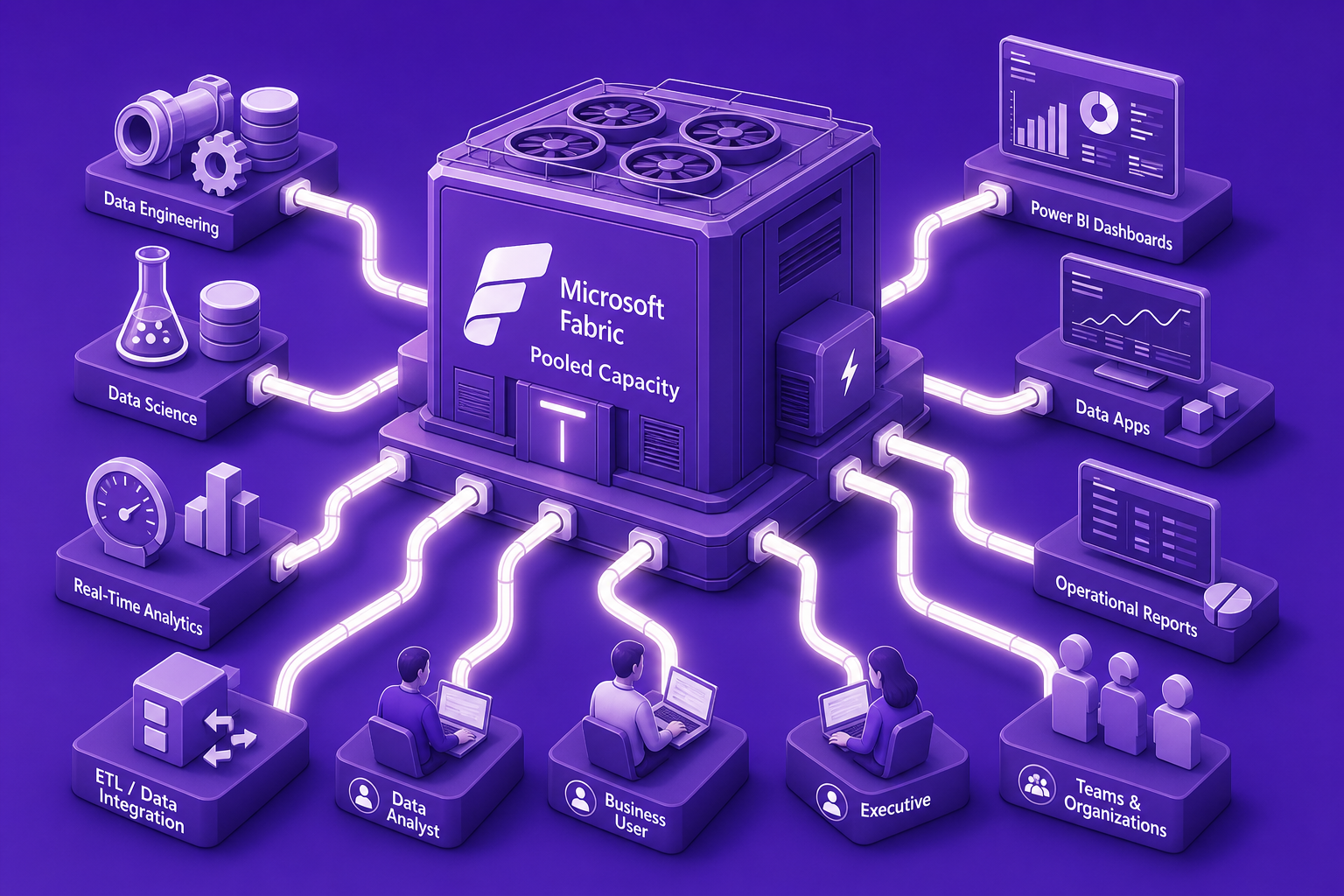
At its core, Microsoft Fabric capacity represents the central pool of data analytics horsepower your organization pays for on the Microsoft cloud. It’s measured in Capacity Units (CUs), a dynamic blend of CPU, memory, and input/output resources pooled together to power reports, machine learning, data transformation, and integration jobs across Power BI and the entire Fabric suite.
Think of Fabric capacity like a centrally managed utility grid: different analytics workloads, dashboards, and users all draw electricity (compute power) from the same generator (capacity pool). If too many demands hit at once, lights can flicker, or costs can spike.
Pooled resources: All workloads tap into the same bucket, avoiding manual allocation.
Elastic scaling and autoscale: The system can automatically burst to higher capacity during spikes (at a premium), then dial back to save costs.
Centralized governance: Administrators can control, monitor, and automate capacity across different business units.
Smoothing mechanism: Usage is averaged over a rolling window (every five minutes over 24 hours) to absorb short-term spikes without triggering penalties right away.
Far from just a technical detail, Fabric capacity directly impacts your organization’s ability to deliver fast data insights, scale analytics for business users, and keep costs in check.
Performance: Sufficient capacity means dashboards load fast, machine learning models run smoothly, and users aren’t stuck in queues.
Predictable spend: Right-sizing prevents costly overages or premium charges that come with automated bursting during traffic spikes.
Shadow IT prevention: Central management reduces the risk of departments buying separate, redundant licenses outside governance.
Getting the balance right is critical, underprovision and users suffer, overprovision and budgets leak. Fabric deployments typically start at the F64 SKU (64 vCores and 4 CUs/sec), running about $8,384/month, but can scale up past $268,000/month for the highest tiers. Here’s how organizations approach planning:
User concurrency: Estimate how many users and workloads might peak at the same time.
Workload intensity: Consider the mix of live dashboards, scheduled jobs, and AI-powered analytics. Advanced features and AI agents can lift average utilization by 10% to 20%.
Departmental allocation: Map capacity units to business units or projects for accountability.
Historical usage: Use past data trends to forecast and avoid last-minute scrambles.
A common pitfall? Relying solely on native metrics, which retain detail for only up to 14 days, missing long-term patterns and over-provisioning risks.
There is no 'one-size-fits-all' when it comes to fabric capacity. Microsoft offers a variety of SKUs and licensing options:
F SKUs (reserved capacities): Fixed monthly resources for predictable scale, ideal for enterprise-wide usage.
Pay-as-you-go: Flexible consumption, ideal for labs or short-lived projects but higher per-unit costs.
Autoscale/bursting add-on: Lets you exceed reserved limits at a premium rate when demand surges unexpectedly. If not enabled, overages can lead to workload throttling.
Understanding these types helps you align the right mix to your analytics priorities and spending controls.
While pooling and elastic features provide flexibility, they also create new governance challenges:
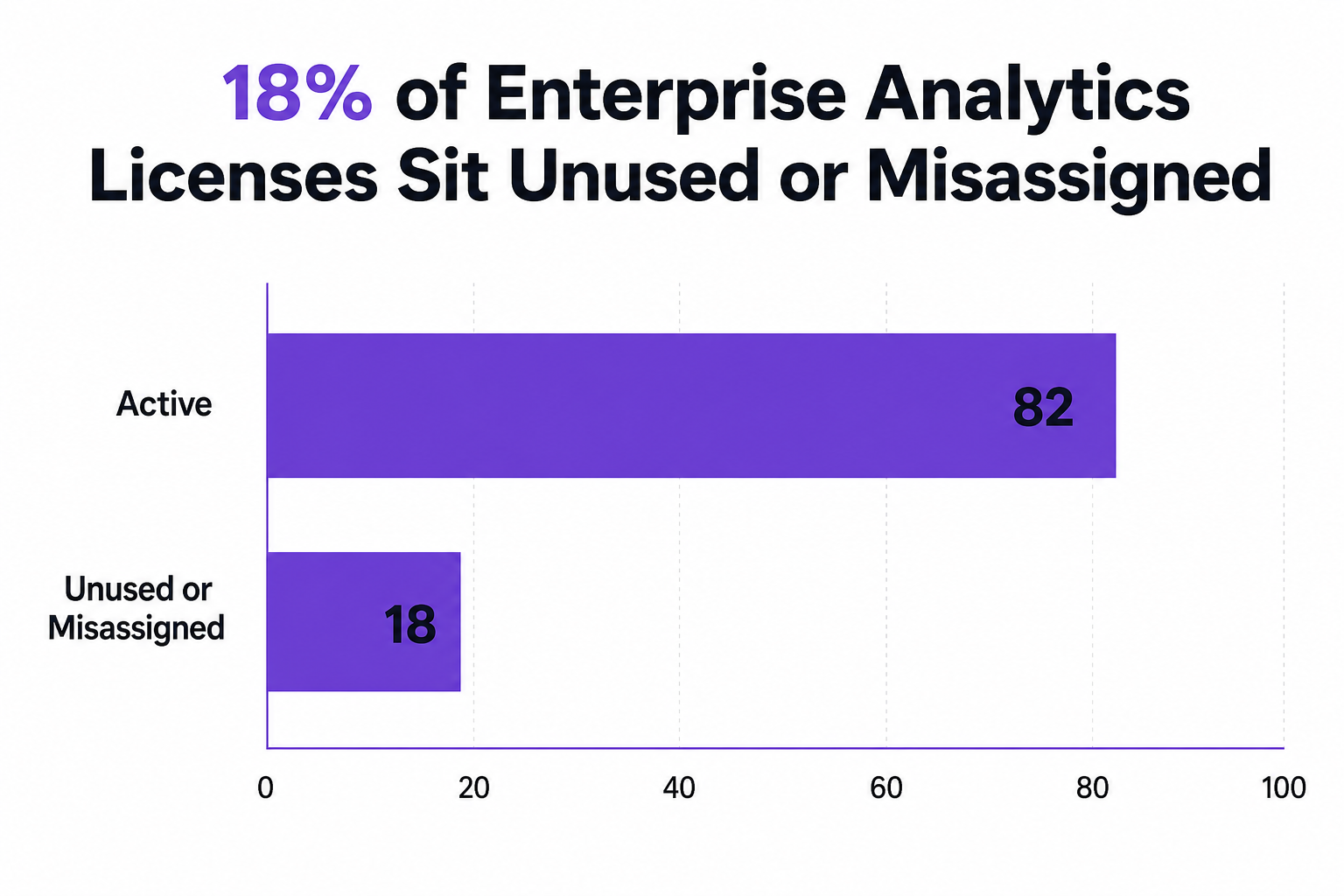
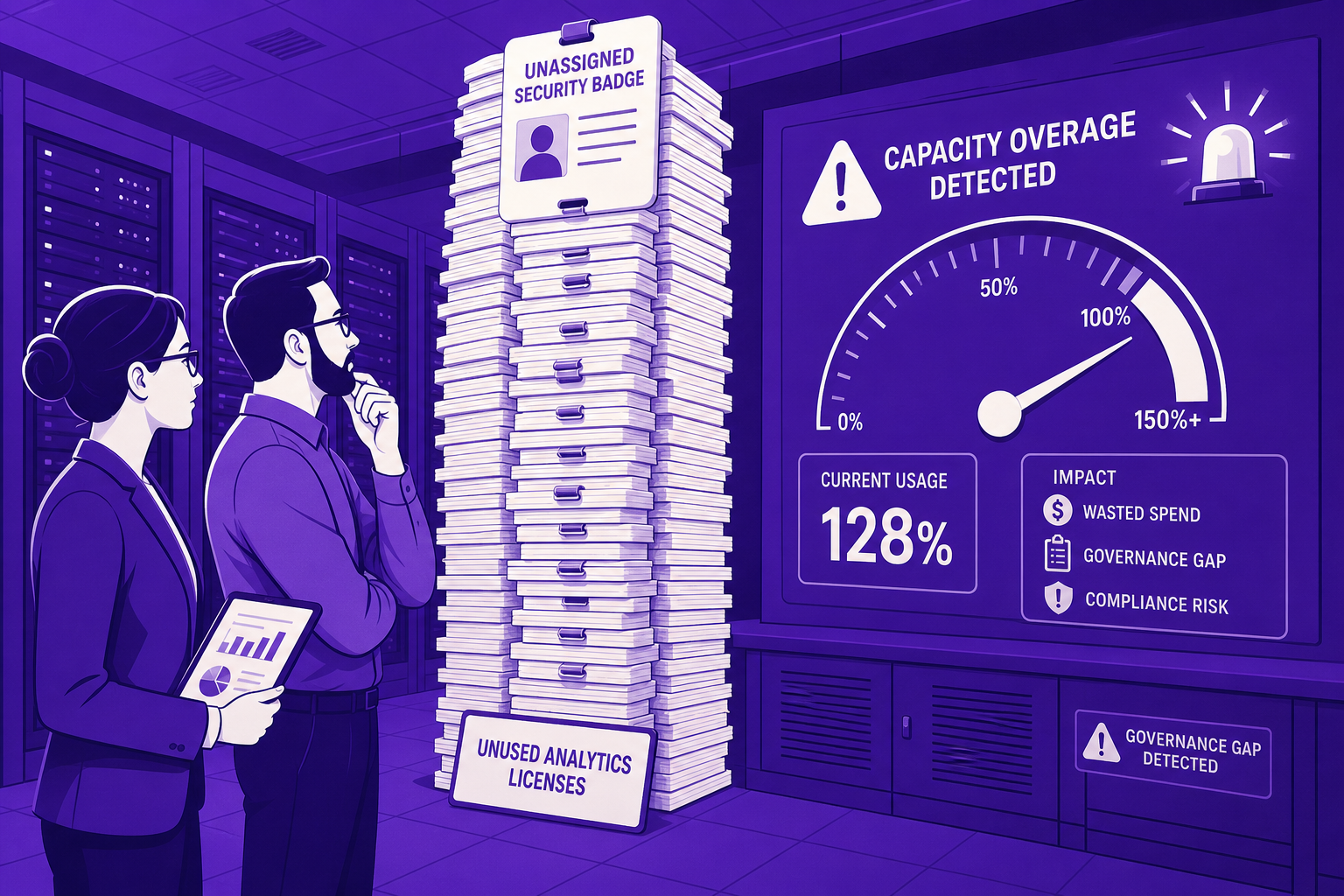
Orphaned and misassigned licenses: Up to 18% of enterprise analytics licenses sit unused or assigned to inactive users, draining budgets.
Over-provisioning: As many as 40% of Fabric customers buy more capacity than needed, especially when centralized tracking is lacking.
Insufficient built-in metrics: Nearly three-quarters of large enterprises report that native reporting doesn’t provide enough insight for actionable governance.
CloudNuro empowers IT and finance leaders to close these gaps with AI-driven, real-time SaaS management tools designed for large, complex organizations.
1. Deep Visibility Beyond Native Tools
CloudNuro's Microsoft 365 Custodian provides a 360-degree, uninterrupted view of all Fabric resources, users, and inactive licenses. Unlike the default 14-day history, CloudNuro breaks down silos, giving you durable, enterprise-wide analytics.
2. AI-Driven Rightsizing and License Hygiene
The Unified Cloud Custodian analyzes patterns, flags underused SKUs, and implements automatic downshifts or workspace pauses, ensuring you’re never paying for dormant capacity.
3. Automated Chargeback Governance
The Chargeback module ties usage directly to business units, enabling transparent showback/chargeback so budget owners are responsible for their consumption, turning cost control into a culture, not just a policy.
Proven Impact:
A global pharma enterprise reduced overage penalties by 36 percent in a year. A multinational bank slashed unused compute hours by 45 percent through continuous rightsizing. A healthcare organization cut SaaS spend by 19 percent and purged over 30 percent of orphaned licenses with AI-powered automation.
The landscape of analytics and capacity management is rapidly evolving:
Enterprises are prioritizing real-time analytics (38% will enable operational access to live data).
AI-native features and automated query support are now requirements in nearly nine out of ten enterprise environments.
Unified platforms beat fragmented tools for governance and spend control.
Rolling-window capacity smoothing is becoming standard to manage burst workloads efficiently.
Microsoft Fabric capacity quantifies the processing resources. CPU, memory, and I/O. allocated to analytics workloads in the Microsoft cloud. Measured in Capacity Units (CUs), it determines how many insights you can deliver and how smoothly your reports and dashboards run.
Power BI and other Fabric workloads draw from the same capacity pool. If demand exceeds provisioned CUs, users may face throttling or delays, especially during heavy usage periods. Adequate capacity ensures consistent, responsive analytics performance.
Start with an honest assessment of peak and average simultaneous users, workload types (ad-hoc vs. scheduled), and the criticality of AI-powered analytics. Analyze historical usage (ideally longer than default reports) and adjust for growth or new initiatives.
The main options are reserved capacity (monthly commitment), pay-as-you-go (flexible, but more expensive), and autoscale add-ons to handle traffic spikes. The right mix depends on your budget predictability and usage volatility.
Implement continuous monitoring for inactive licenses, automate rightsizing, enforce chargeback, and leverage advanced reporting platforms like CloudNuro to uncover hidden savings and governance opportunities.
Microsoft Fabric capacity is not just a technical metric. It is the financial backbone of your organization’s analytics performance and cost control. By understanding how it works and where the hidden pitfalls lie, leaders can optimize both performance and spend for their Microsoft investments.
CloudNuro makes this journey data-driven and frictionless, eliminating guesswork with AI-powered visibility, rightsizing, and governance. The result: faster insights, smarter budgeting, and a culture of financial discipline in the new era of enterprise analytics.
Explore how CloudNuro AI Custodian can help your team achieve end-to-end SaaS and Fabric optimization. Request a Demo | Get Free Savings | Microsoft SaaS Management
About CloudNuro
CloudNuro is a leader in Enterprise AI Adoption Management, providing enterprises with unmatched visibility, governance, and cost optimization. Recognized twice in a row in the SaaS Management Platforms category and named a Leader in the SoftwareReviews Data Quadrant, CloudNuro is trusted by global enterprises and government agencies to bring financial discipline to SaaS, cloud, and AI. Trusted by enterprises, CloudNuro provides centralized SaaS inventory, license optimization, and renewal management along with advanced cost allocation and chargeback, giving IT and Finance leaders the visibility, control, and cost-conscious culture needed to drive financial discipline.
Request a no cost, no obligation free assessment —just 15 minutes to savings!
Get StartedIf your organization uses Microsoft’s cloud analytics platform, chances are you’ve encountered the term 'Microsoft Fabric capacity.' But what does this actually mean, and why should IT and finance leaders care? In this non-technical guide, we’ll demystify Fabric capacity and help you understand how to plan, govern, and optimize your analytics investments, so you get more value and less waste.
At its core, Microsoft Fabric capacity represents the central pool of data analytics horsepower your organization pays for on the Microsoft cloud. It’s measured in Capacity Units (CUs), a dynamic blend of CPU, memory, and input/output resources pooled together to power reports, machine learning, data transformation, and integration jobs across Power BI and the entire Fabric suite.
Think of Fabric capacity like a centrally managed utility grid: different analytics workloads, dashboards, and users all draw electricity (compute power) from the same generator (capacity pool). If too many demands hit at once, lights can flicker, or costs can spike.
Pooled resources: All workloads tap into the same bucket, avoiding manual allocation.
Elastic scaling and autoscale: The system can automatically burst to higher capacity during spikes (at a premium), then dial back to save costs.
Centralized governance: Administrators can control, monitor, and automate capacity across different business units.
Smoothing mechanism: Usage is averaged over a rolling window (every five minutes over 24 hours) to absorb short-term spikes without triggering penalties right away.
Far from just a technical detail, Fabric capacity directly impacts your organization’s ability to deliver fast data insights, scale analytics for business users, and keep costs in check.
Performance: Sufficient capacity means dashboards load fast, machine learning models run smoothly, and users aren’t stuck in queues.
Predictable spend: Right-sizing prevents costly overages or premium charges that come with automated bursting during traffic spikes.
Shadow IT prevention: Central management reduces the risk of departments buying separate, redundant licenses outside governance.
Getting the balance right is critical, underprovision and users suffer, overprovision and budgets leak. Fabric deployments typically start at the F64 SKU (64 vCores and 4 CUs/sec), running about $8,384/month, but can scale up past $268,000/month for the highest tiers. Here’s how organizations approach planning:
User concurrency: Estimate how many users and workloads might peak at the same time.
Workload intensity: Consider the mix of live dashboards, scheduled jobs, and AI-powered analytics. Advanced features and AI agents can lift average utilization by 10% to 20%.
Departmental allocation: Map capacity units to business units or projects for accountability.
Historical usage: Use past data trends to forecast and avoid last-minute scrambles.
A common pitfall? Relying solely on native metrics, which retain detail for only up to 14 days, missing long-term patterns and over-provisioning risks.
There is no 'one-size-fits-all' when it comes to fabric capacity. Microsoft offers a variety of SKUs and licensing options:
F SKUs (reserved capacities): Fixed monthly resources for predictable scale, ideal for enterprise-wide usage.
Pay-as-you-go: Flexible consumption, ideal for labs or short-lived projects but higher per-unit costs.
Autoscale/bursting add-on: Lets you exceed reserved limits at a premium rate when demand surges unexpectedly. If not enabled, overages can lead to workload throttling.
Understanding these types helps you align the right mix to your analytics priorities and spending controls.
While pooling and elastic features provide flexibility, they also create new governance challenges:
Orphaned and misassigned licenses: Up to 18% of enterprise analytics licenses sit unused or assigned to inactive users, draining budgets.
Over-provisioning: As many as 40% of Fabric customers buy more capacity than needed, especially when centralized tracking is lacking.
Insufficient built-in metrics: Nearly three-quarters of large enterprises report that native reporting doesn’t provide enough insight for actionable governance.
CloudNuro empowers IT and finance leaders to close these gaps with AI-driven, real-time SaaS management tools designed for large, complex organizations.
1. Deep Visibility Beyond Native Tools
CloudNuro's Microsoft 365 Custodian provides a 360-degree, uninterrupted view of all Fabric resources, users, and inactive licenses. Unlike the default 14-day history, CloudNuro breaks down silos, giving you durable, enterprise-wide analytics.
2. AI-Driven Rightsizing and License Hygiene
The Unified Cloud Custodian analyzes patterns, flags underused SKUs, and implements automatic downshifts or workspace pauses, ensuring you’re never paying for dormant capacity.
3. Automated Chargeback Governance
The Chargeback module ties usage directly to business units, enabling transparent showback/chargeback so budget owners are responsible for their consumption, turning cost control into a culture, not just a policy.
Proven Impact:
A global pharma enterprise reduced overage penalties by 36 percent in a year. A multinational bank slashed unused compute hours by 45 percent through continuous rightsizing. A healthcare organization cut SaaS spend by 19 percent and purged over 30 percent of orphaned licenses with AI-powered automation.
The landscape of analytics and capacity management is rapidly evolving:
Enterprises are prioritizing real-time analytics (38% will enable operational access to live data).
AI-native features and automated query support are now requirements in nearly nine out of ten enterprise environments.
Unified platforms beat fragmented tools for governance and spend control.
Rolling-window capacity smoothing is becoming standard to manage burst workloads efficiently.
Microsoft Fabric capacity quantifies the processing resources. CPU, memory, and I/O. allocated to analytics workloads in the Microsoft cloud. Measured in Capacity Units (CUs), it determines how many insights you can deliver and how smoothly your reports and dashboards run.
Power BI and other Fabric workloads draw from the same capacity pool. If demand exceeds provisioned CUs, users may face throttling or delays, especially during heavy usage periods. Adequate capacity ensures consistent, responsive analytics performance.
Start with an honest assessment of peak and average simultaneous users, workload types (ad-hoc vs. scheduled), and the criticality of AI-powered analytics. Analyze historical usage (ideally longer than default reports) and adjust for growth or new initiatives.
The main options are reserved capacity (monthly commitment), pay-as-you-go (flexible, but more expensive), and autoscale add-ons to handle traffic spikes. The right mix depends on your budget predictability and usage volatility.
Implement continuous monitoring for inactive licenses, automate rightsizing, enforce chargeback, and leverage advanced reporting platforms like CloudNuro to uncover hidden savings and governance opportunities.
Microsoft Fabric capacity is not just a technical metric. It is the financial backbone of your organization’s analytics performance and cost control. By understanding how it works and where the hidden pitfalls lie, leaders can optimize both performance and spend for their Microsoft investments.
CloudNuro makes this journey data-driven and frictionless, eliminating guesswork with AI-powered visibility, rightsizing, and governance. The result: faster insights, smarter budgeting, and a culture of financial discipline in the new era of enterprise analytics.
Explore how CloudNuro AI Custodian can help your team achieve end-to-end SaaS and Fabric optimization. Request a Demo | Get Free Savings | Microsoft SaaS Management
About CloudNuro
CloudNuro is a leader in Enterprise AI Adoption Management, providing enterprises with unmatched visibility, governance, and cost optimization. Recognized twice in a row in the SaaS Management Platforms category and named a Leader in the SoftwareReviews Data Quadrant, CloudNuro is trusted by global enterprises and government agencies to bring financial discipline to SaaS, cloud, and AI. Trusted by enterprises, CloudNuro provides centralized SaaS inventory, license optimization, and renewal management along with advanced cost allocation and chargeback, giving IT and Finance leaders the visibility, control, and cost-conscious culture needed to drive financial discipline.
Request a no cost, no obligation free assessment - just 15 minutes to savings!
Get StartedWe're offering complimentary ServiceNow license assessments to only 25 enterprises this quarter who want to unlock immediate savings without disrupting operations.
Get Free AssessmentGet Started




CloudNuro Corp
1755 Park St. Suite 207
Naperville, IL 60563
Phone : +1-630-277-9470
Email: info@cloudnuro.com





.webp)

Recognized Leader in SaaS Management Platforms by Info-Tech SoftwareReviews




.svg)